
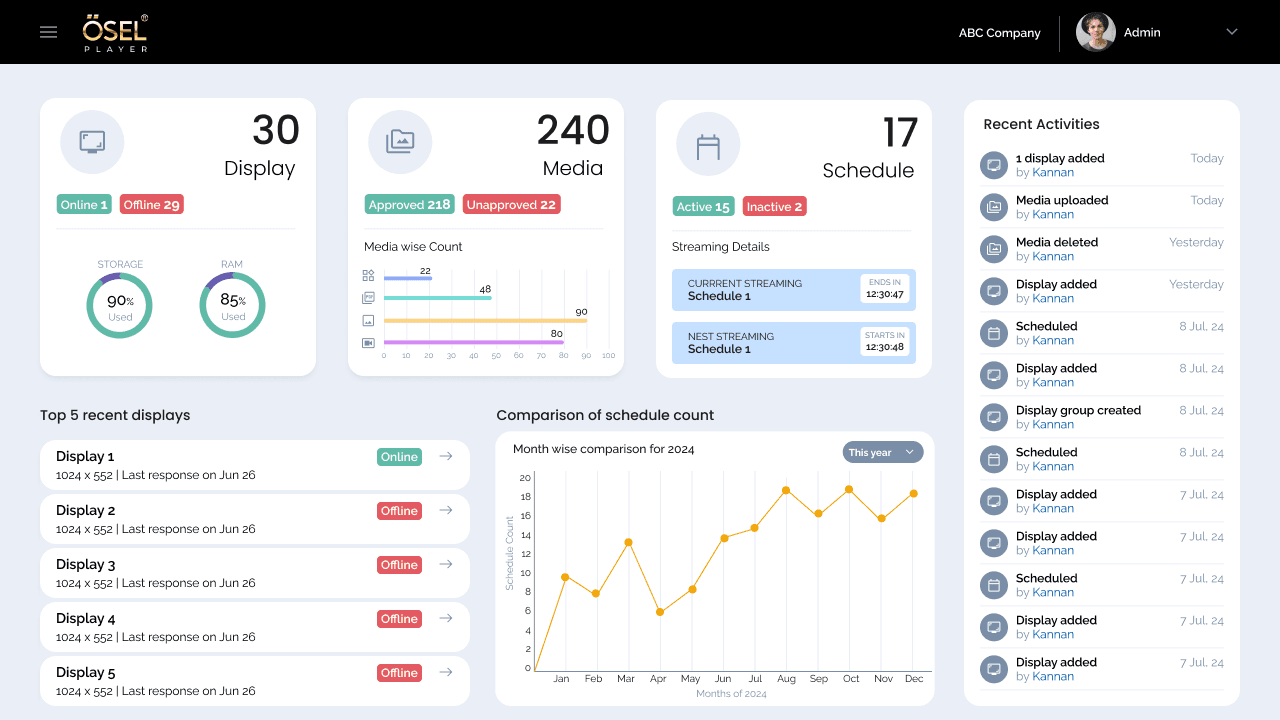
OSEL Signage CMS
A signage management experience designed to help users create, manage and control digital signage content across displays.
Role: UX/UI Design
A two-sided consultation platform connecting clients seeking legal advice with available advocates through integrated booking and case management workflows.
Role
UX/UI Design
Type
Digital Consultation Platform
Project
Advocate Consultation Platform
Role
UX/UI Design
Type
Digital Consultation Platform
Status
completed
01 —
Connecting clients seeking legal consultation with available advocates requires more than a simple booking system. The platform must support two distinct user groups with different needs: advocates managing professional profiles, availability, subscriptions, and client information; and clients discovering advocates, evaluating credentials, booking appointments, and preparing case details. Both workflows must integrate seamlessly within a single platform.
02 —
Legal professionals need tools to establish credibility, manage their time, handle incoming client bookings, and access case information before consultations. The advocate experience prioritizes profile management, availability control, and appointment administration.
Clients need to discover qualified advocates, evaluate their credentials and specializations, select available time slots, complete payment, and provide case context. The client experience emphasizes discovery, evaluation, booking, and preparation.
03 —
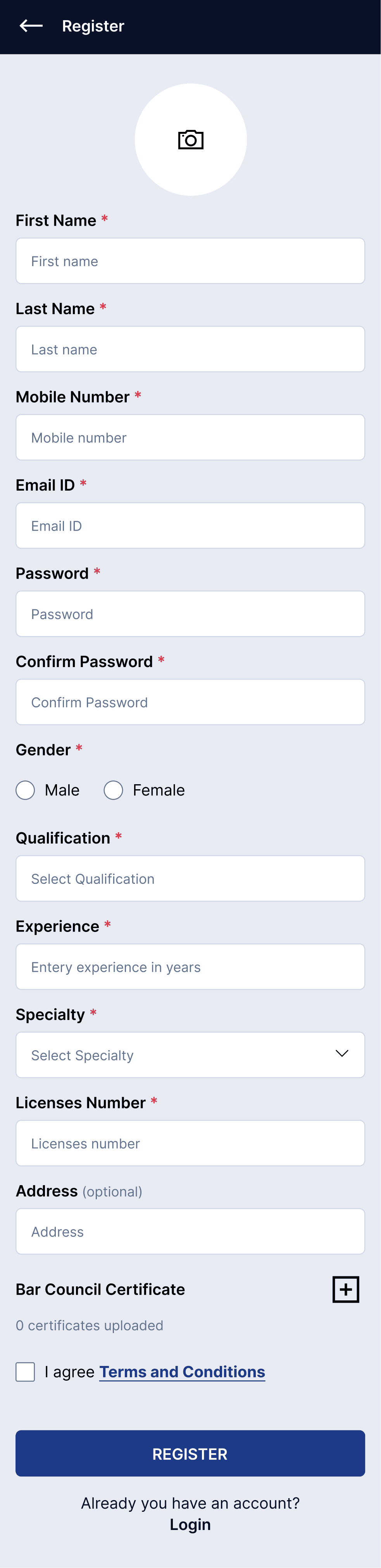
Set up professional profile with name, qualifications, specialization, and license information
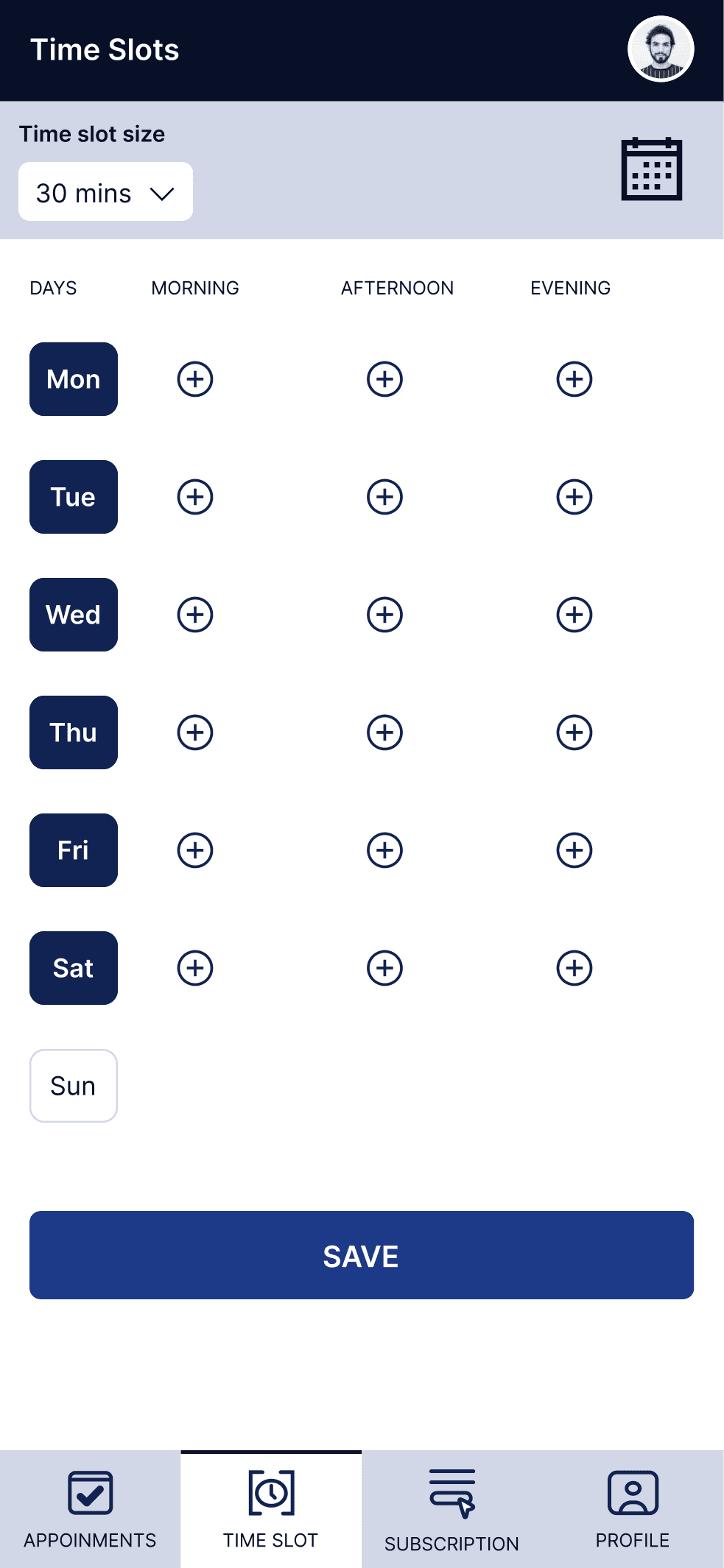
Define working hours by day and time period, with support for flexible slot durations
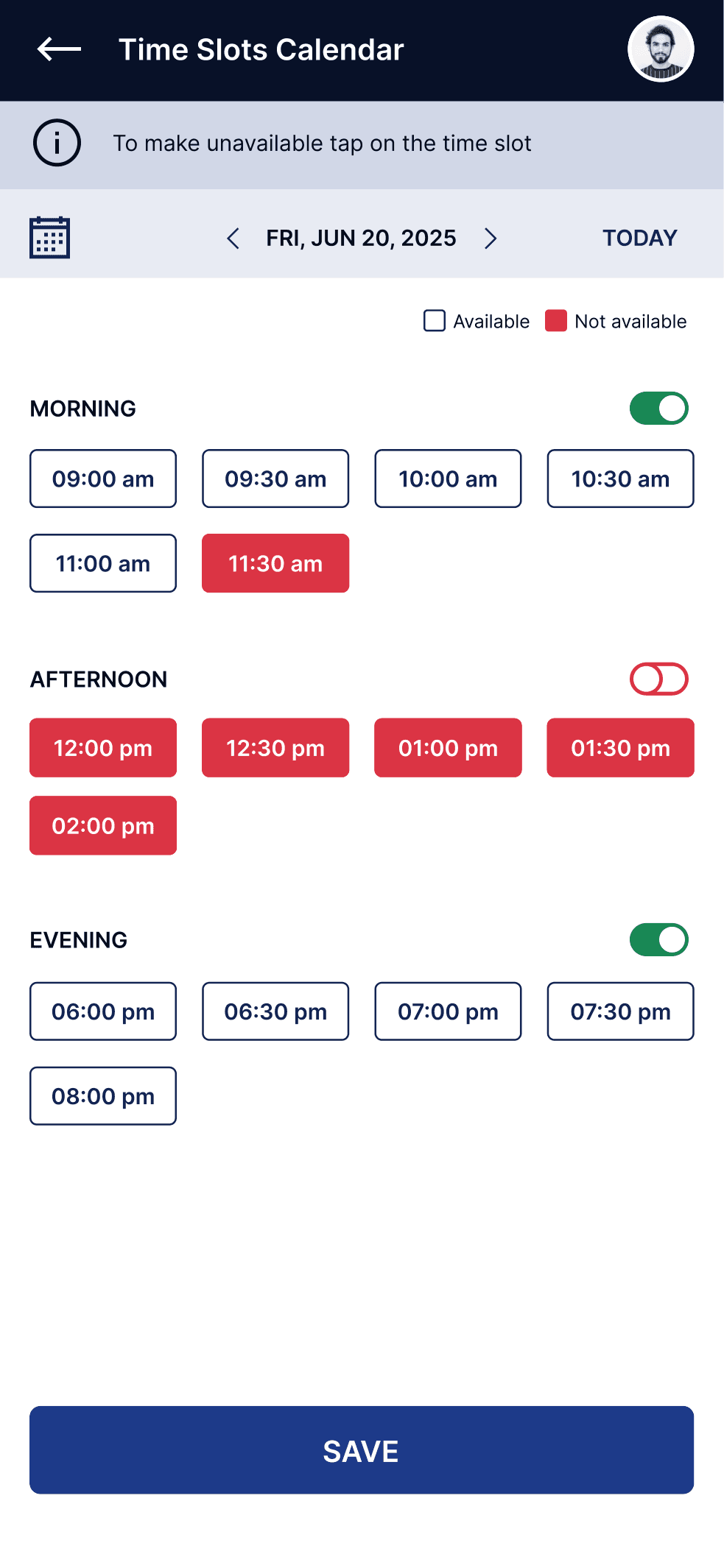
View availability calendar and toggle specific time slots between available and unavailable
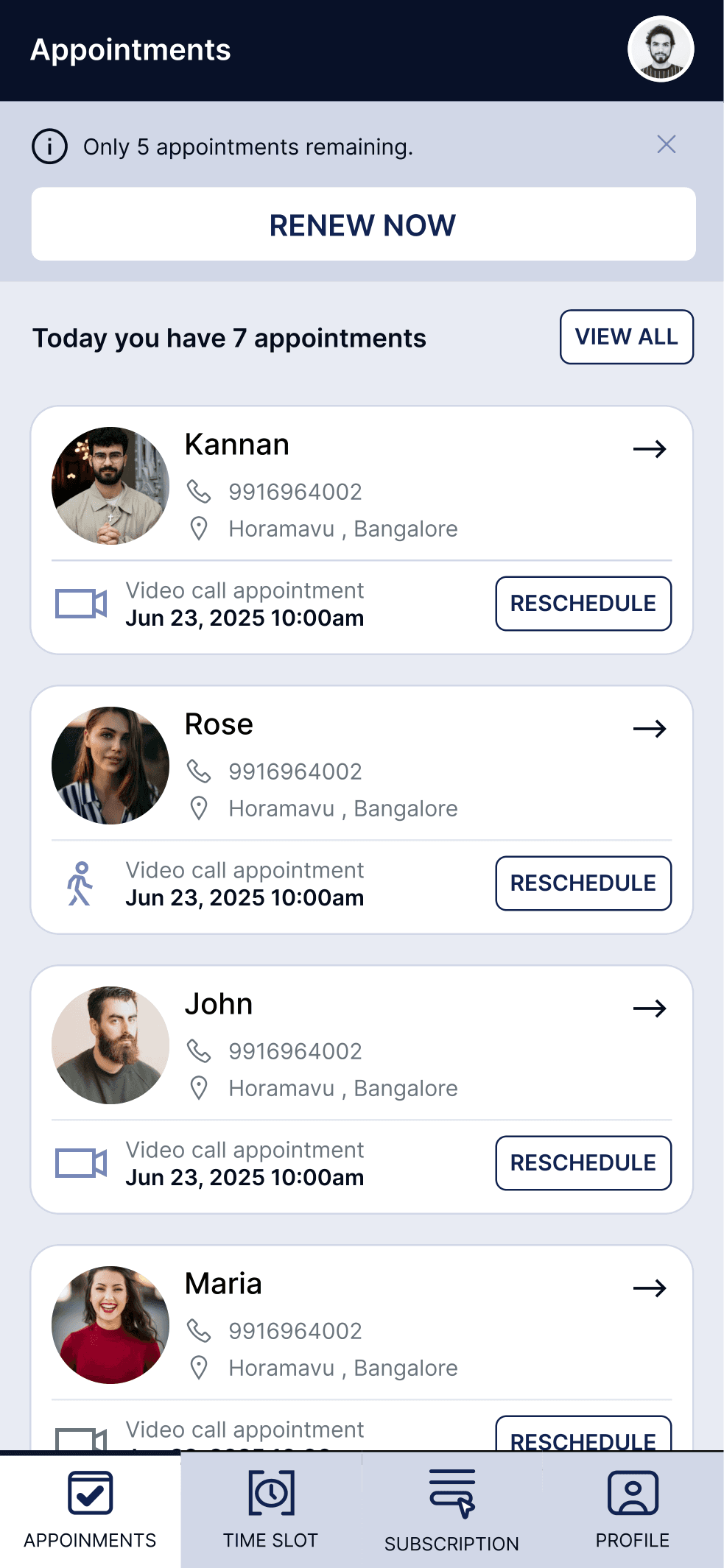
Manage incoming client bookings, view case information, and track appointment status
04 —
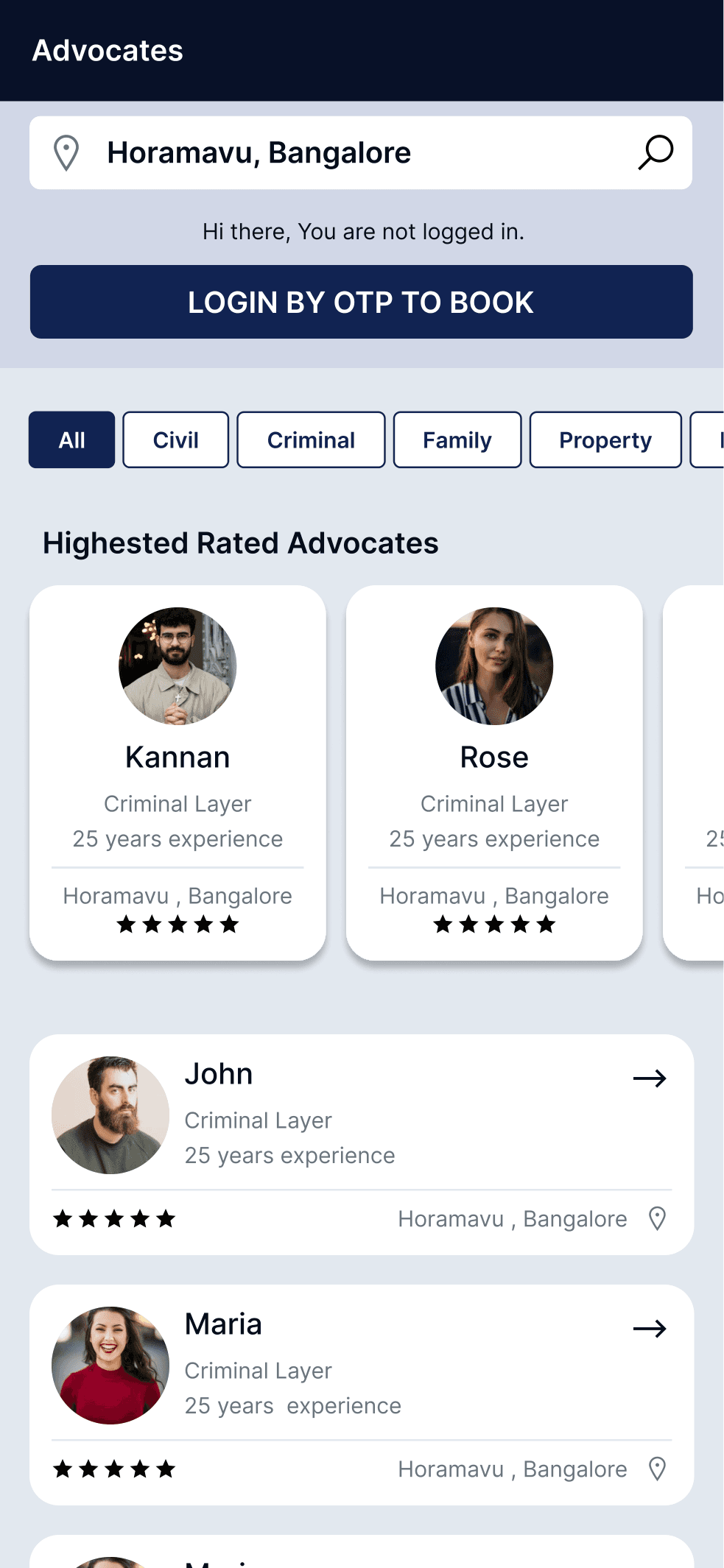
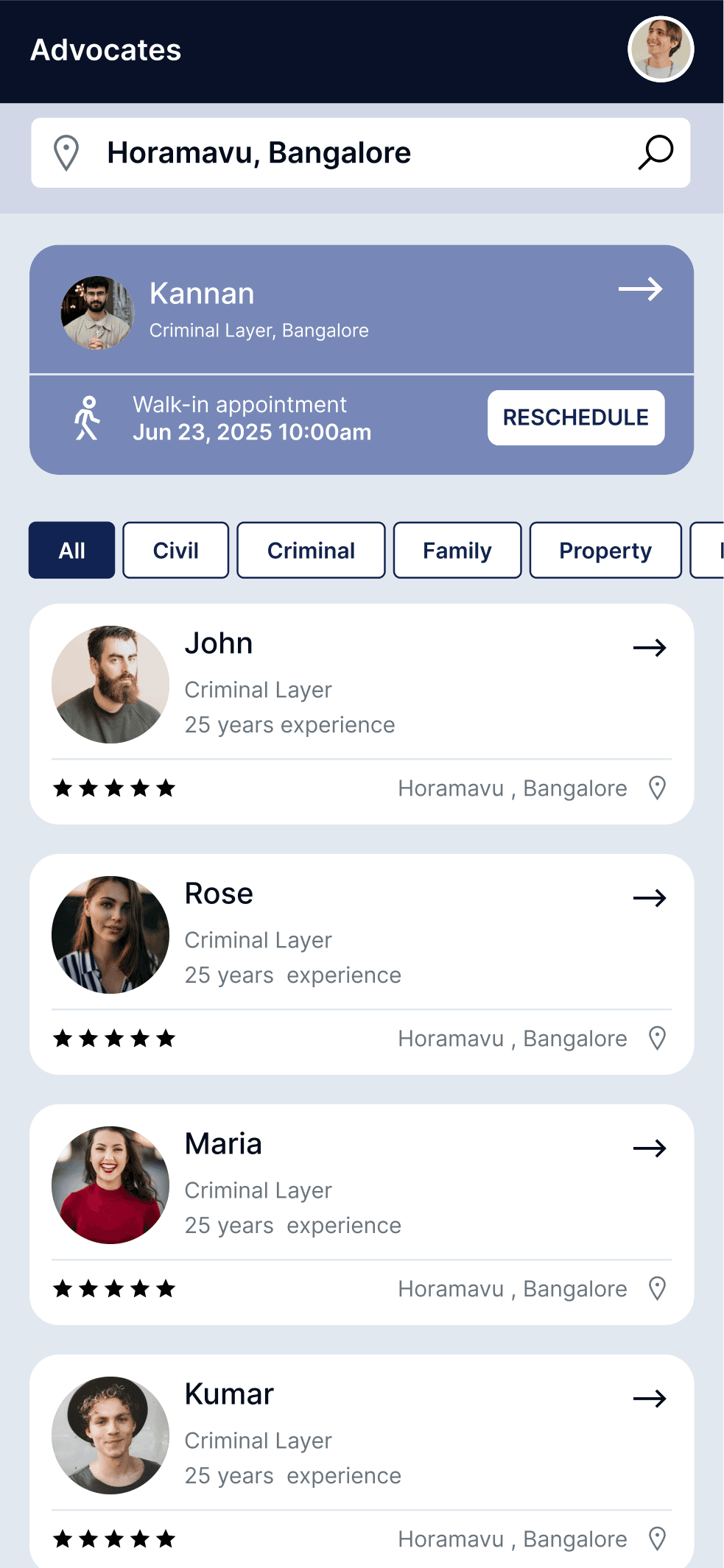
Search for advocates by location and browse available legal professionals filtered by specialization
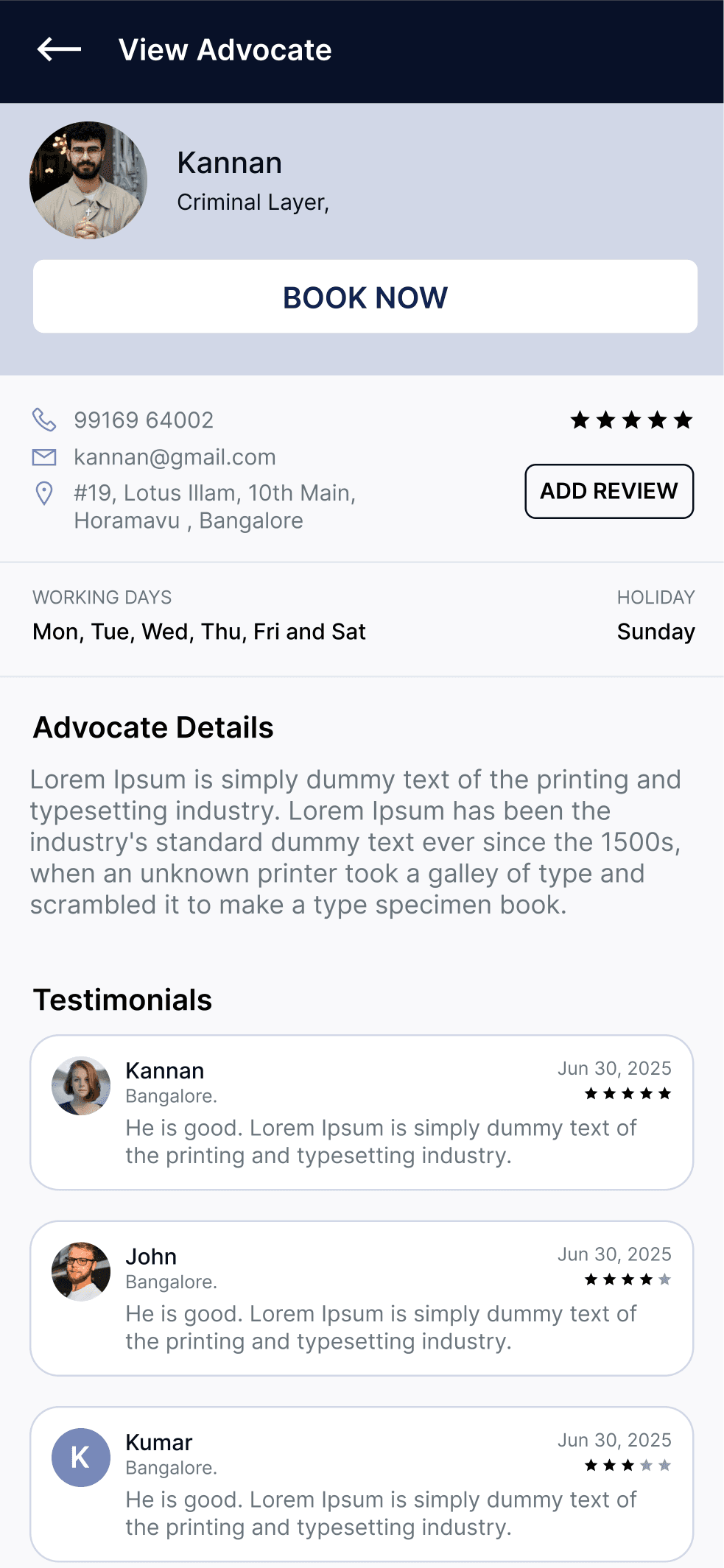
Review advocate profile, qualifications, experience, specialization, and client testimonials
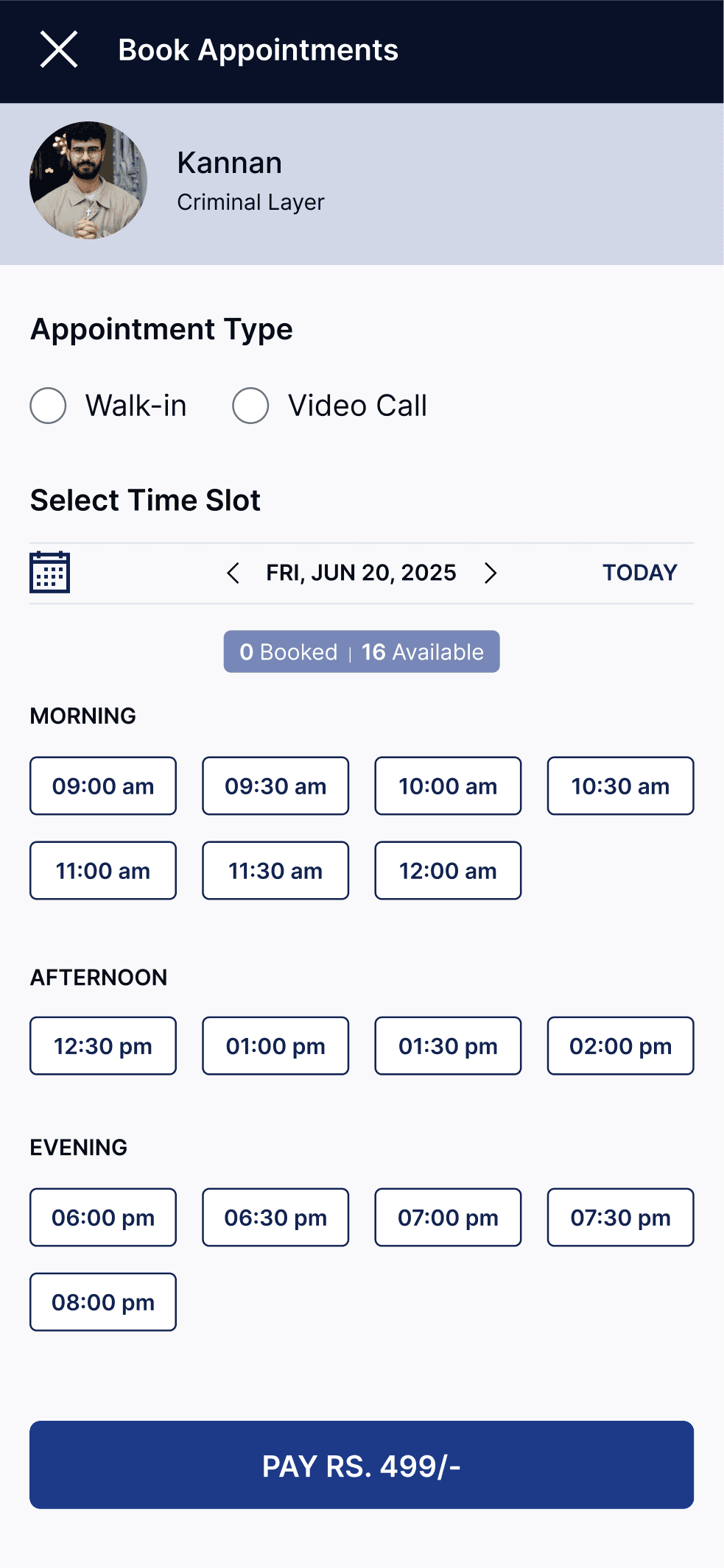
Choose preferred date and time slot, select consultation mode (walk-in or video call), and complete payment
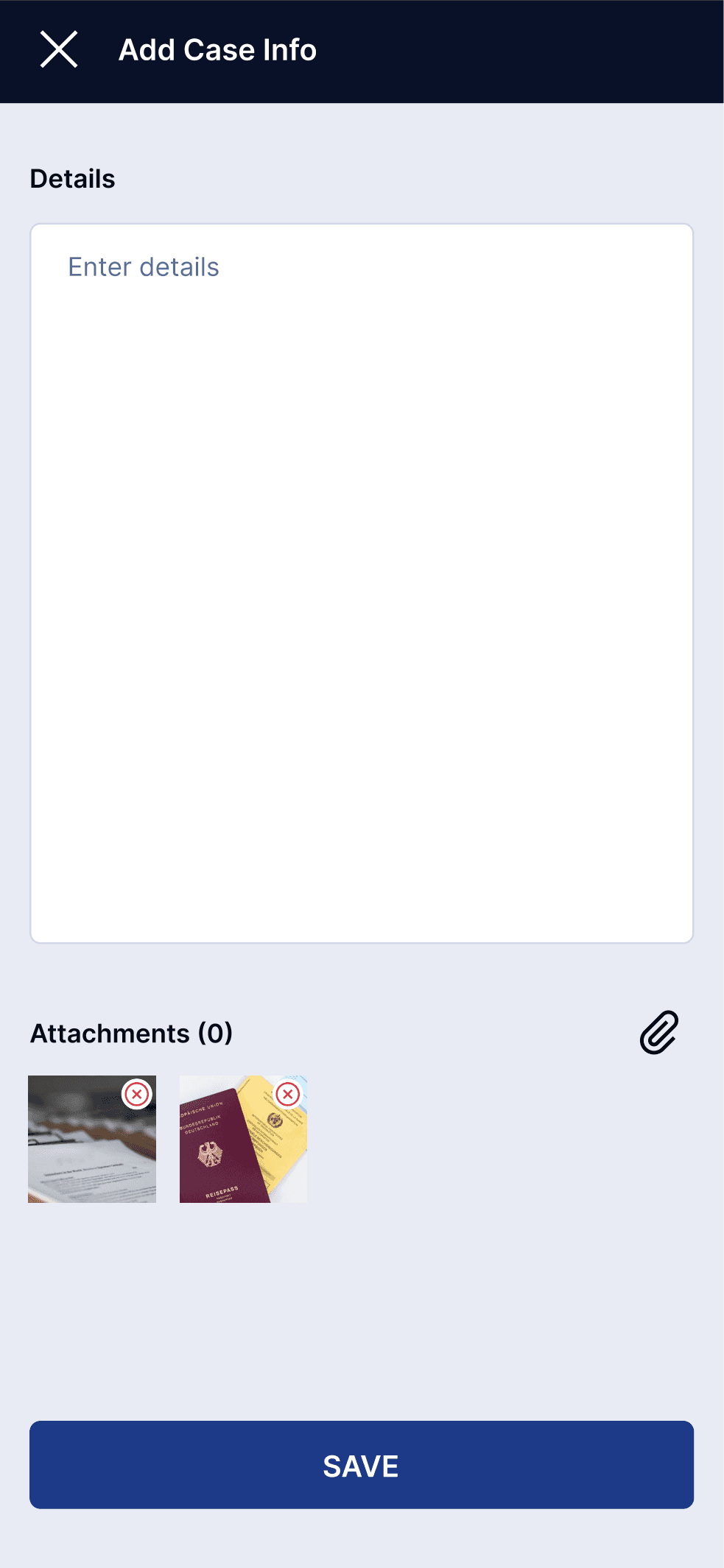
Add case details, upload supporting documents and attachments to help advocate prepare for consultation
View upcoming appointments, access appointment details, and manage consultation schedules
05 —
Challenge 1
Challenge
Advocates must configure and manage 21+ time slots across a week (7 days × 3 time periods), plus handle flexible slot durations. Without a thoughtful interface, this becomes overwhelming.
Design Decision
Design a modular configuration system that separates day selection, time period entry, and slot size specification. Include an 'apply to all days' toggle to reduce repetition and minimize entry errors.
Result
Advocates can configure complete weekly schedules in a streamlined, manageable workflow without feeling overwhelmed by data entry.
Challenge 2
Challenge
Advocates need clear visual feedback distinguishing available slots, booked slots, and unavailable times to prevent errors and ensure accurate availability management.
Design Decision
Implement a calendar-grid interface with color-coded states: available (visible), booked (marked), and unavailable (disabled). Add toggle controls for quick slot-state changes.
Result
Advocates gain at-a-glance clarity of their schedule, reducing mistakes and enabling confident availability management.
Challenge 3
Challenge
Clients must feel confident selecting an unfamiliar advocate for important legal matters. A simple list view is insufficient; clients need credibility signals and clear differentiation.
Design Decision
Combine advocate discovery with visible credentials (specialization, experience, qualifications) and social proof (star ratings and client testimonials). Support filtering and sorting by specialization.
Result
Clients gain confidence during discovery through visible credibility signals and can quickly identify advocates that match their legal needs.
Challenge 4
Challenge
Clients must provide case context for advocates to prepare effectively, but the process should feel natural rather than burdensome. This requires clear structure and file-attachment support.
Design Decision
Create a dedicated case-information form supporting both text descriptions and file uploads. Separate the form into logical sections: case details, attachments, and additional remarks.
Result
Clients can easily provide comprehensive case information, enabling advocates to prepare for more effective consultations.
06 —
A structured time-slot configuration and calendar-based availability interface that makes scheduling intuitive and error-resistant.
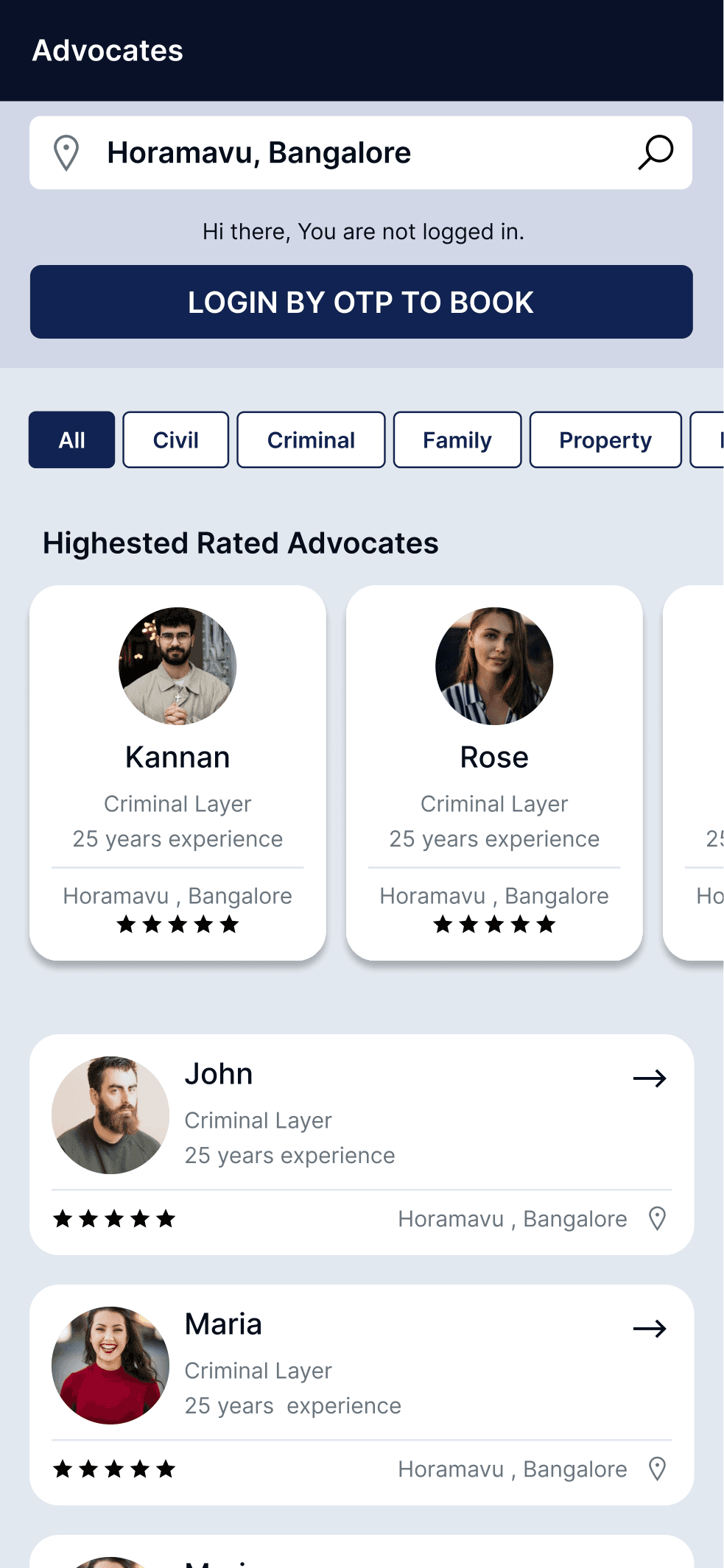
Clients discover advocates near them with filtering by specialization, enabling quick identification of qualified legal professionals.
Comprehensive advocate profiles displaying credentials, qualifications, experience, and client testimonials to build client confidence.
Streamlined booking interface where clients select time slots and complete subscription and payment in a single flow.
Structured case-information collection enabling clients to provide context and advocates to prepare effectively.
Unified appointment tracking that serves both advocates managing their schedule and clients tracking their bookings.
07 —
Advocate demonstrates the importance of designing two-sided platforms with equal consideration for both user groups. The most significant design consideration is recognizing that advocates and clients have fundamentally different needs within the same platform. Advocates need operational efficiency (scheduling, availability, client information), while clients need confidence-building tools (credibility signals, discovery, evaluation). A successful design bridges these different requirements without compromising either experience. The platform succeeds when both sides feel understood and supported.
Next Case Study
An education management experience designed to bring multiple school workflows and information into a structured digital platform.
A signage management experience designed to help users create, manage and control digital signage content across displays.
Role: UX/UI Design
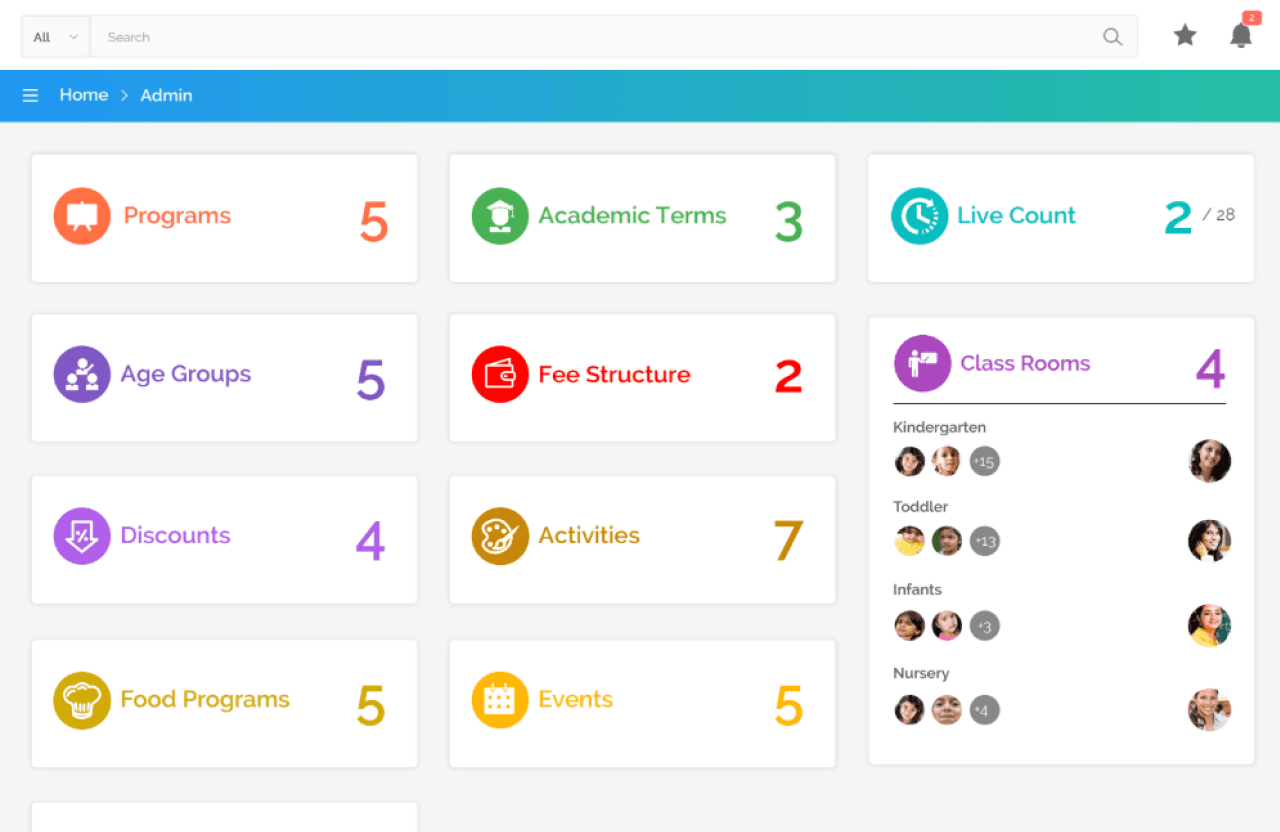
An education management experience designed to bring multiple school workflows and information into a structured digital platform.
Role: UX/UI Design
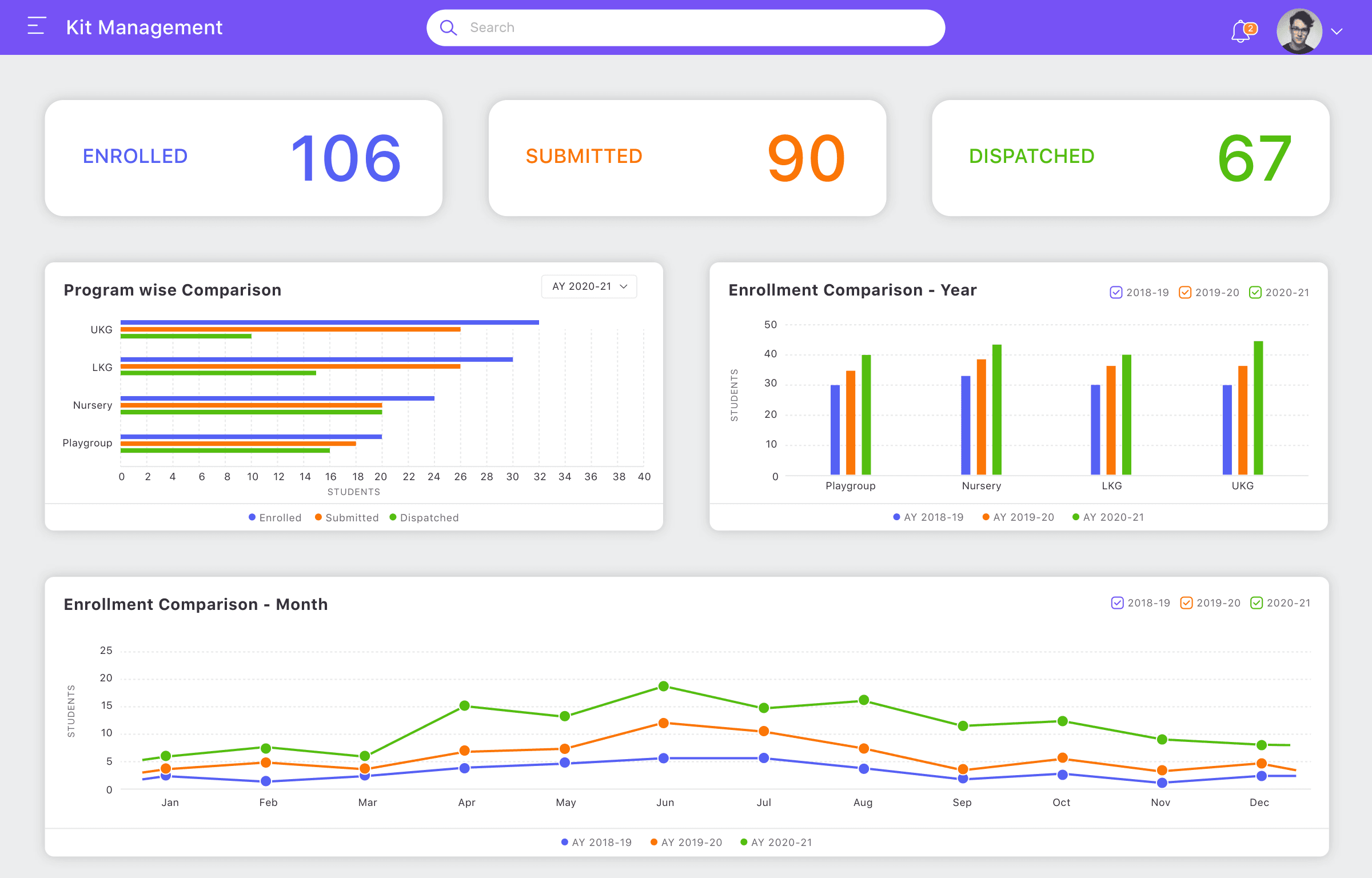
A structured management experience designed to simplify operational workflows and improve visibility across kit-related processes.
Role: UX/UI Design
Let's discuss your project, role or collaboration opportunity.