
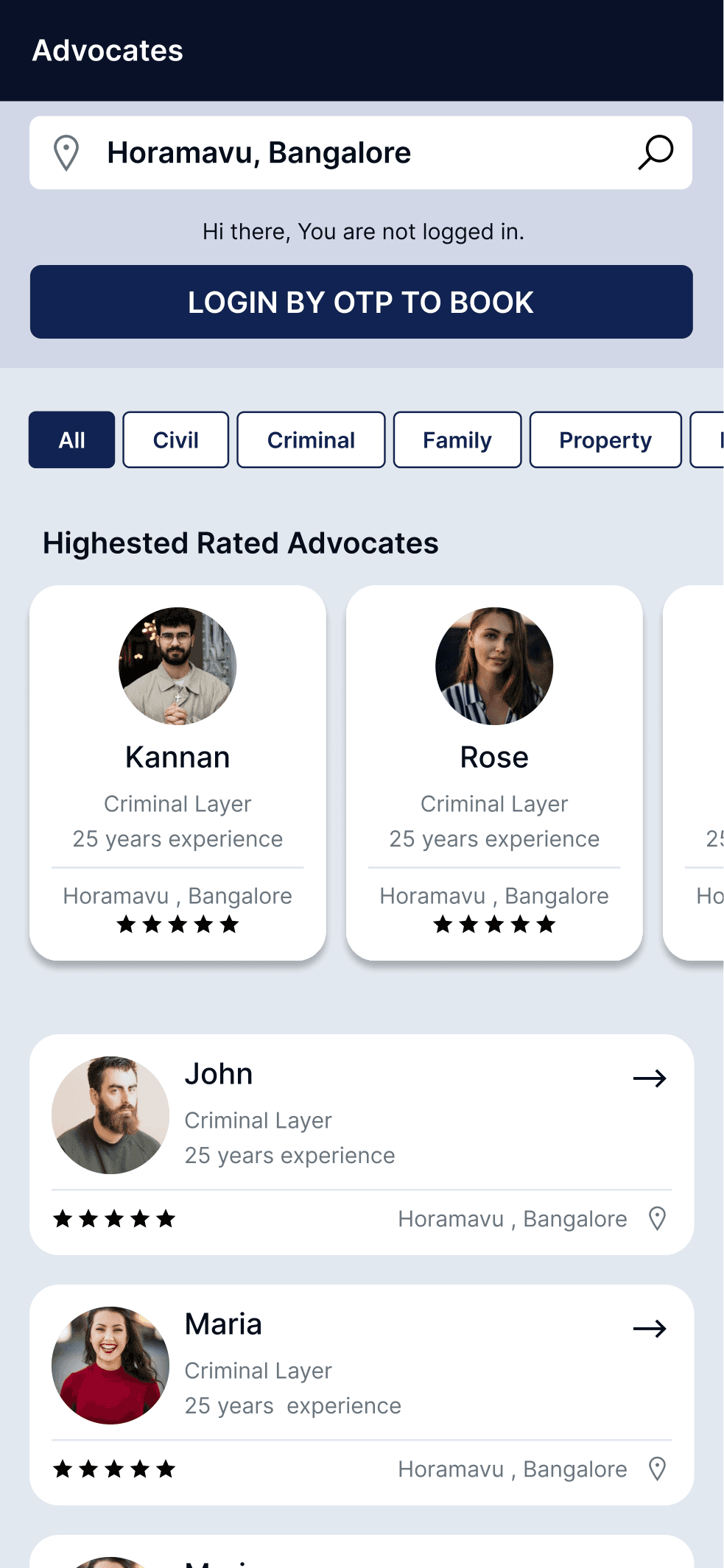
Advocate Consultation Platform
A two-sided consultation platform connecting clients seeking legal advice with available advocates through integrated booking and case management workflows.
Role: UX/UI Design
View Case Study→
Resources
A signage management experience designed to help users create, manage and control digital signage content across displays.
Role
UX/UI Design
Type
Enterprise SaaS / Signage Management
Project
OSEL Signage CMS
Role
UX/UI Design
Type
Enterprise SaaS / Signage Management
Status
completed
01 —
Digital signage management involves more than displaying a single piece of content. The OSEL product manages a broader ecosystem where content is organized, placed into layouts, scheduled, assigned to displays, and managed through user roles and permissions. This creates a product with several connected management workflows rather than a single linear task.
02 —
Media
Content sources
Layout
Visual structure
Schedule
Timing & status
Display
Screen assignment
Monitor
Playback tracking
Media
Content sources
Layout
Visual structure
Schedule
Timing & status
Display
Screen assignment
Monitor
Playback tracking
03 —
Key Responsibilities
04 —
Media · Media Groups · Playlists
Layouts · Layout Templates
Schedules · Displays · Display Groups
Users · Roles · Permissions
05 —
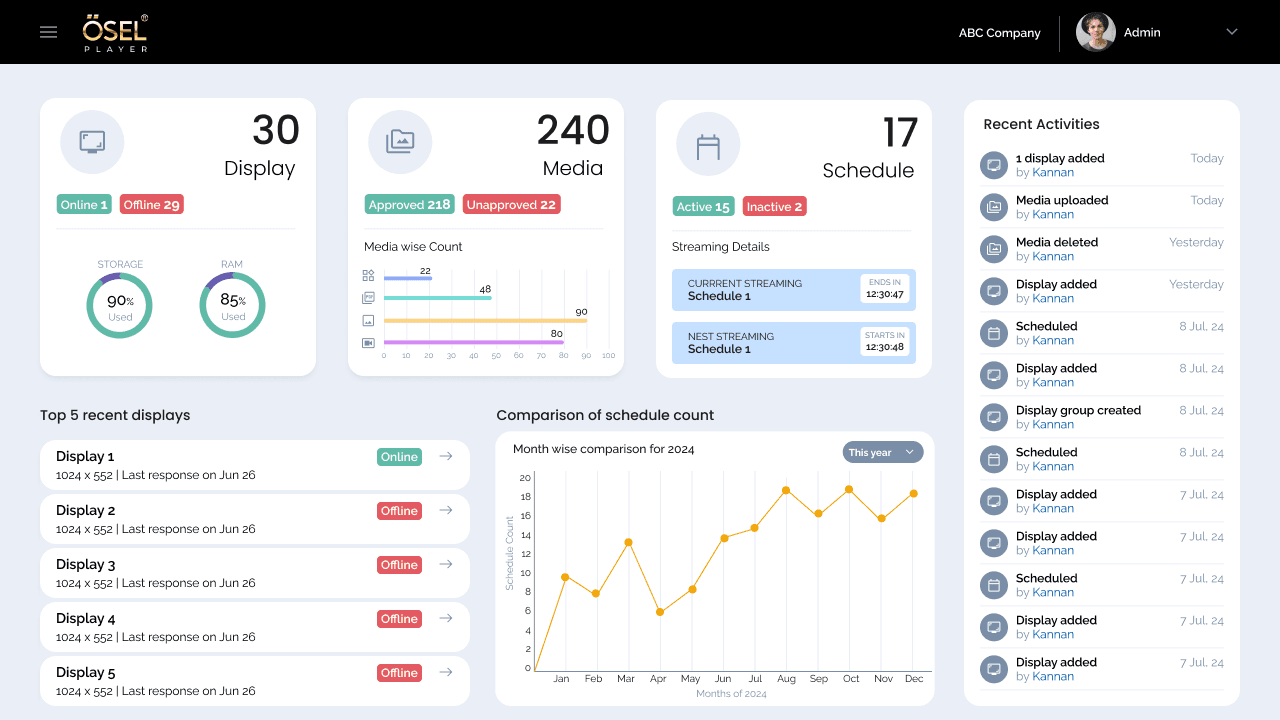
The OSEL dashboard provides an at-a-glance view of the overall signage management system, connecting display status, media inventory, scheduled content, and recent activity.
06 —
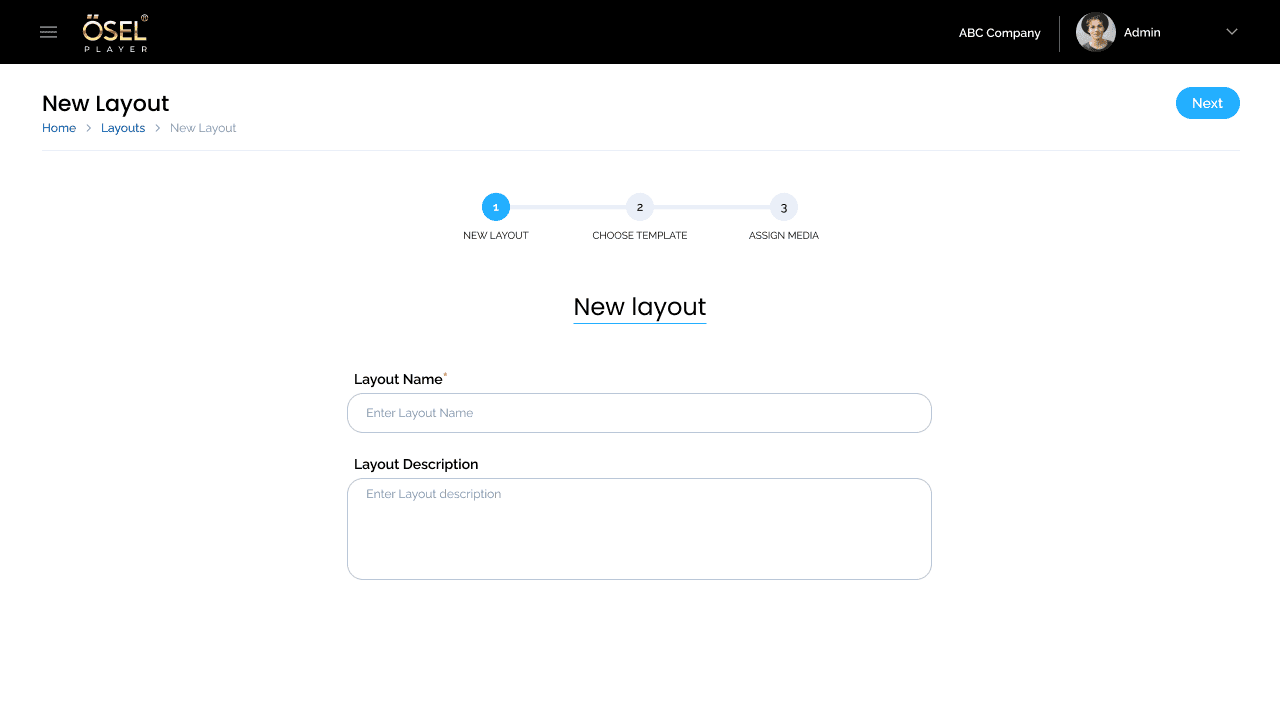
Start the layout creation process by defining a name and description
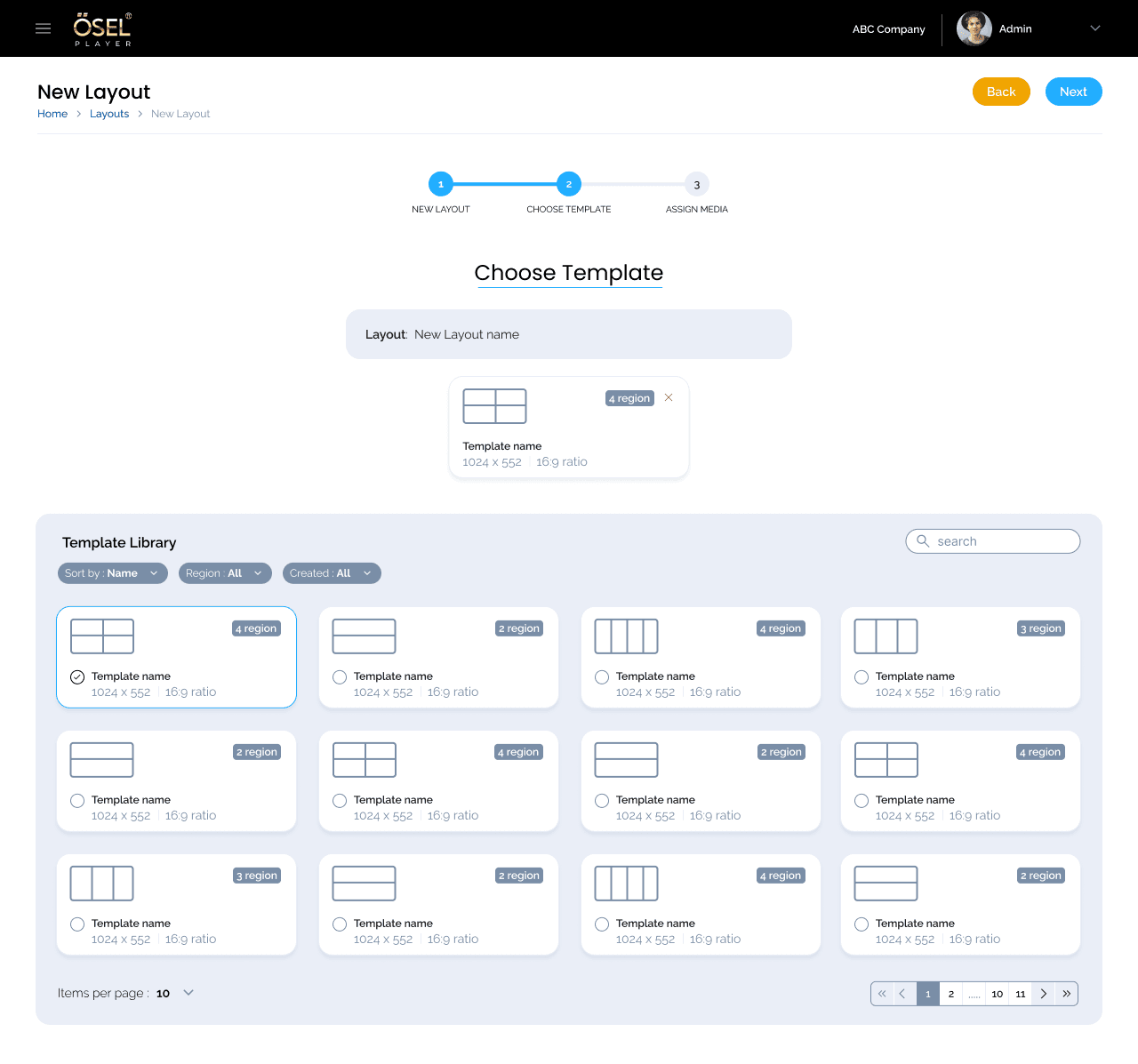
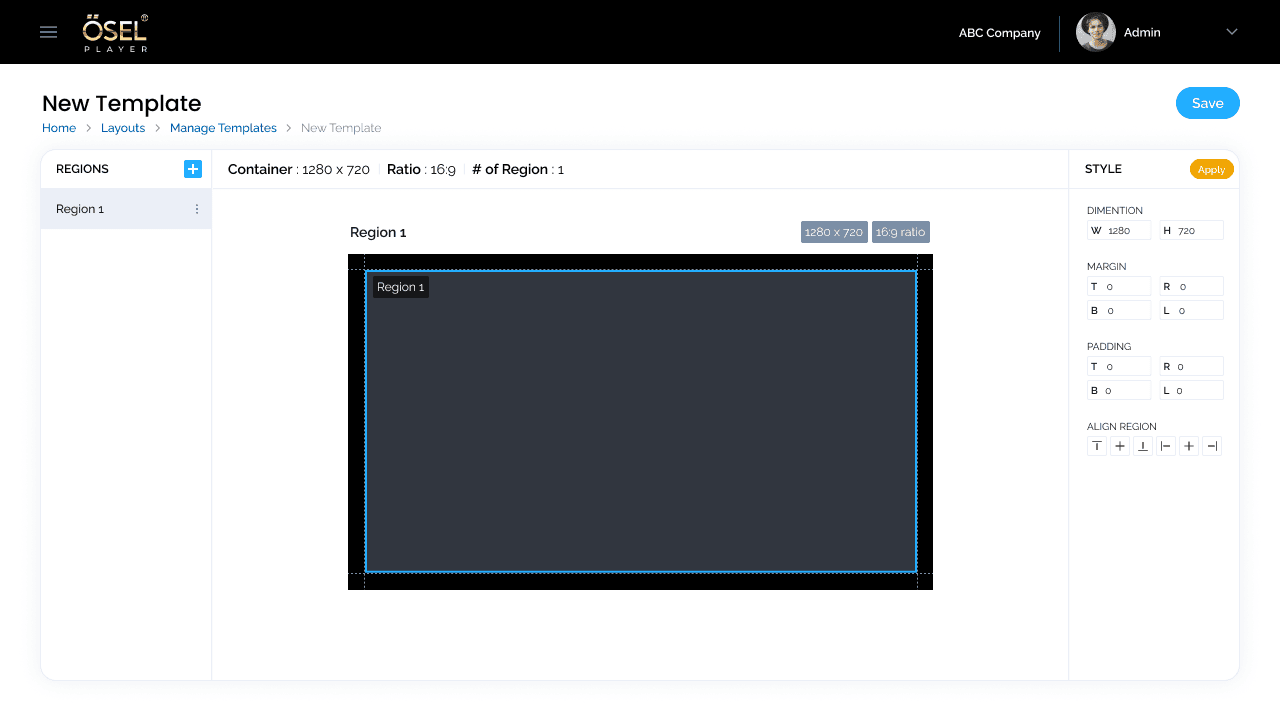
Select a reusable template based on required region structure and display format
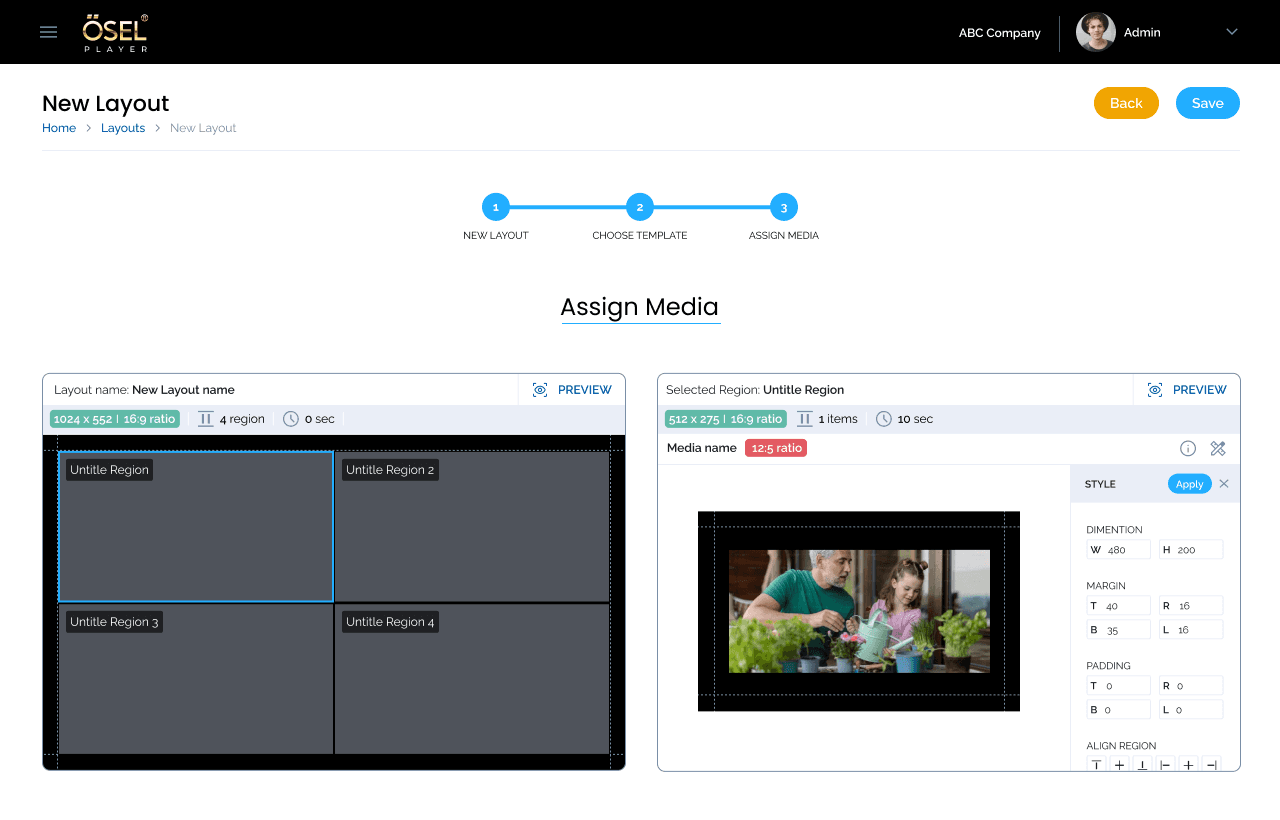
Assign media to individual regions while maintaining layout structure and preview visibility
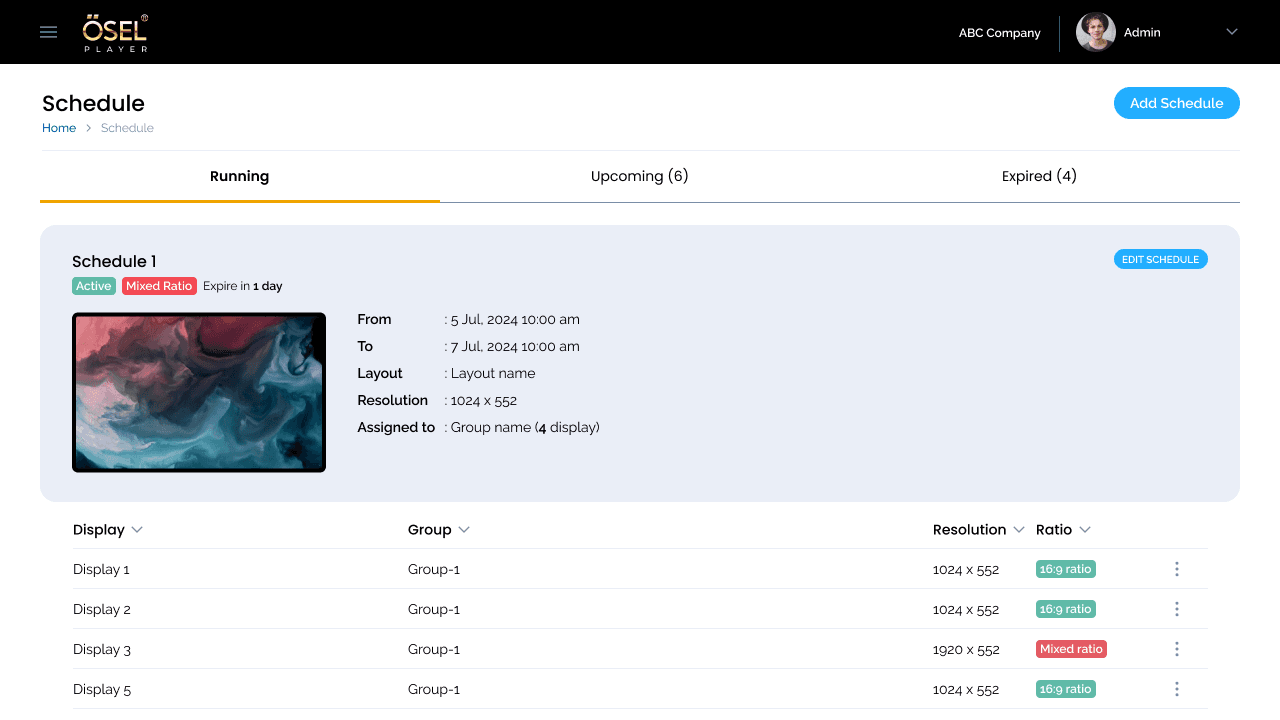
Connect the layout to a time period and display assignment for scheduled playback
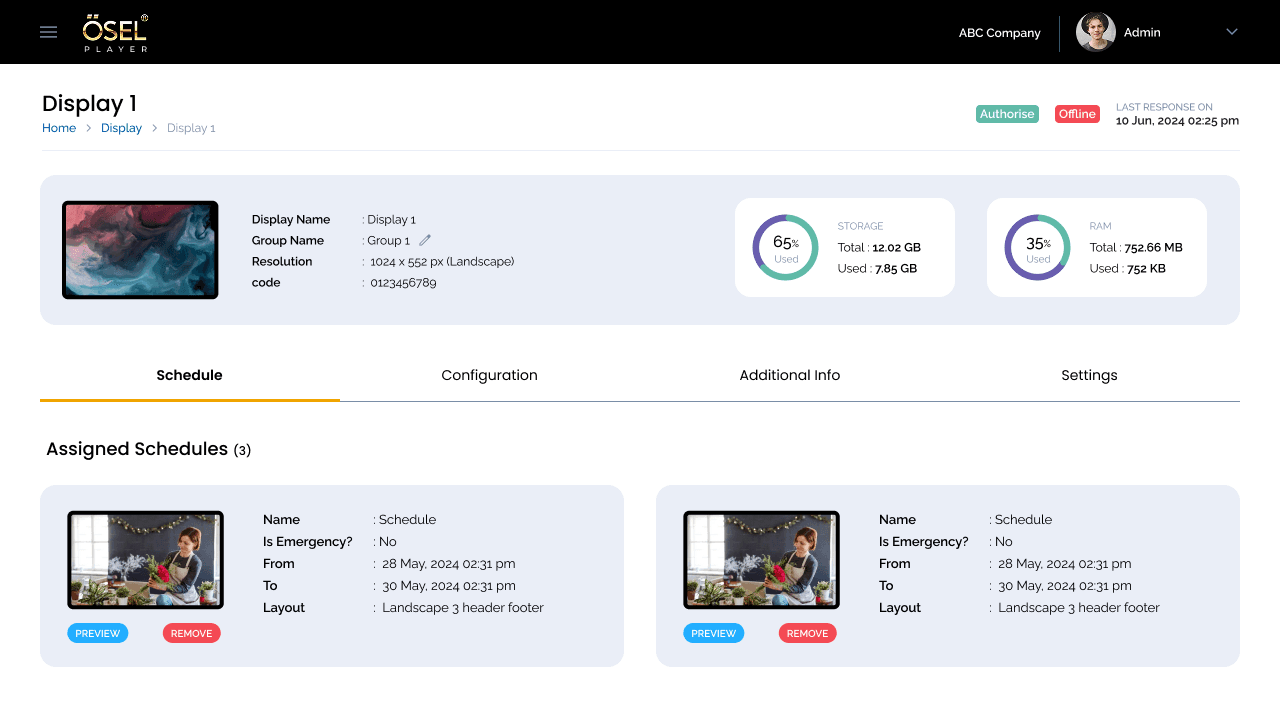
Manage connected displays and track assigned schedules and playback status
07 —
Challenge 1
Challenge
The product contains multiple management domains that are related but serve different purposes.
Design Decision
Organize related capabilities into clear product areas with consistent management patterns across the platform.
Result
The final interface presents a broad signage-management system through recognizable functional areas rather than one undifferentiated workspace.
Challenge 2
Challenge
Media is not simply uploaded and displayed directly. It must be organized and assigned to regions within a layout.
Design Decision
Create a structured workflow that separates template selection from media assignment while maintaining layout context and region visibility.
Result
Users move through a clear path from selecting a template to assigning media to specific regions.
Challenge 3
Challenge
A layout becomes operational only when connected to a time period and a display.
Design Decision
Present schedules as manageable records with clear status categories and key scheduling attributes.
Result
The schedule interface makes operational state visible through Running, Upcoming, and Expired groupings.
08 —
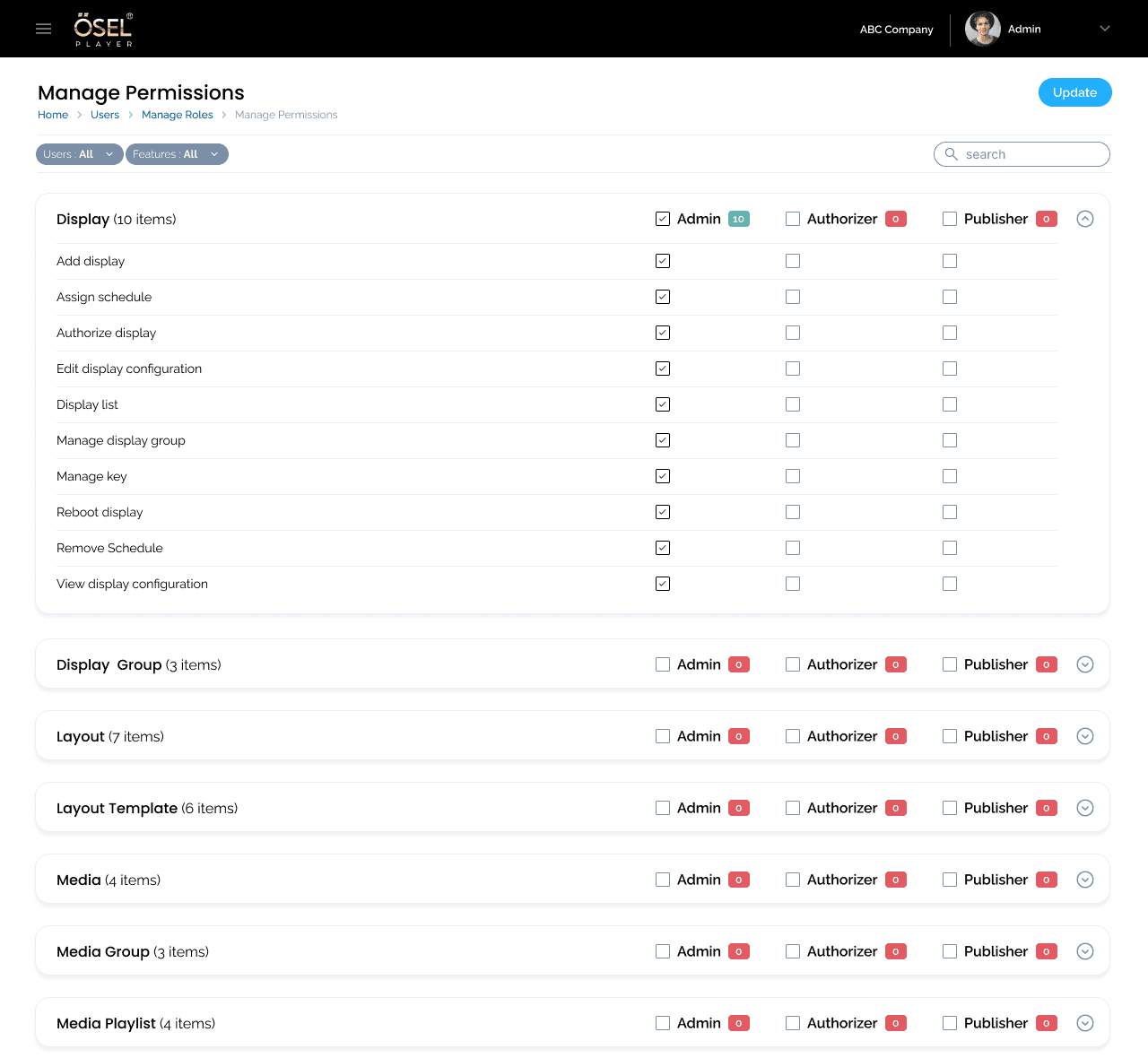
The product includes a dedicated permission-management matrix supporting feature-level access configuration.
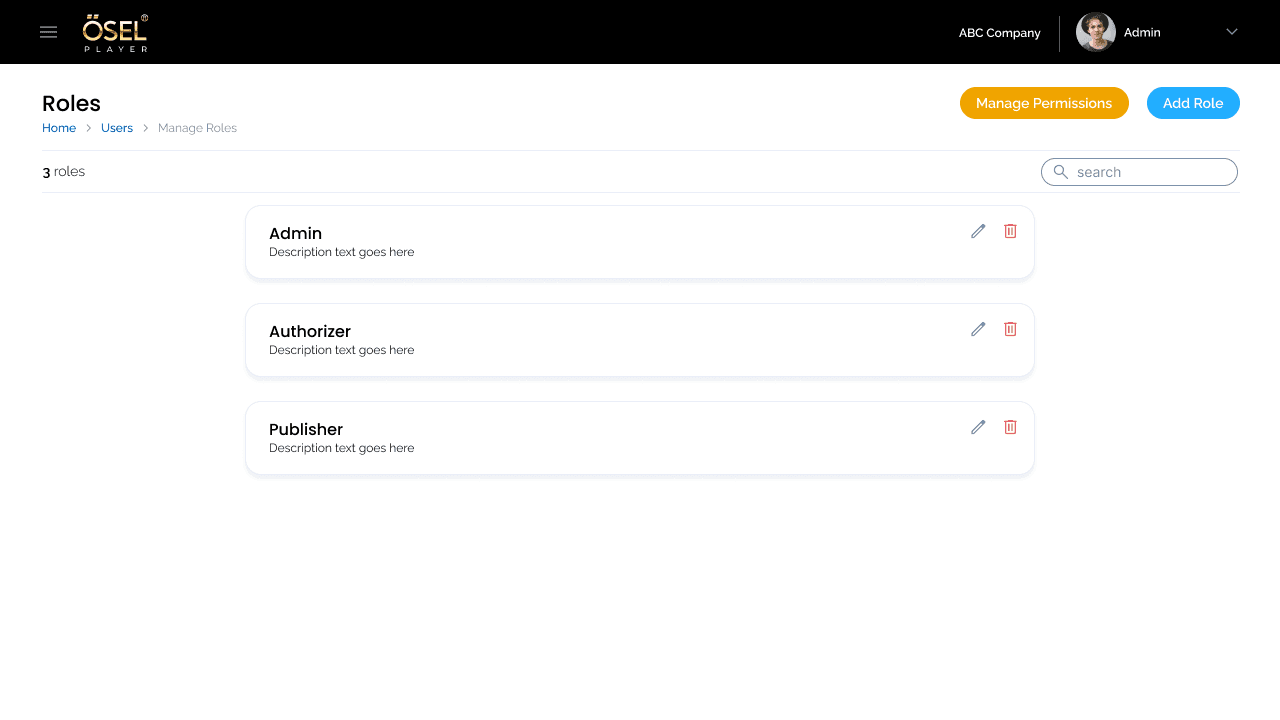
Pre-defined roles such as Admin, Authorizer, and Publisher can be configured and managed through the enterprise administration interface.
09 —
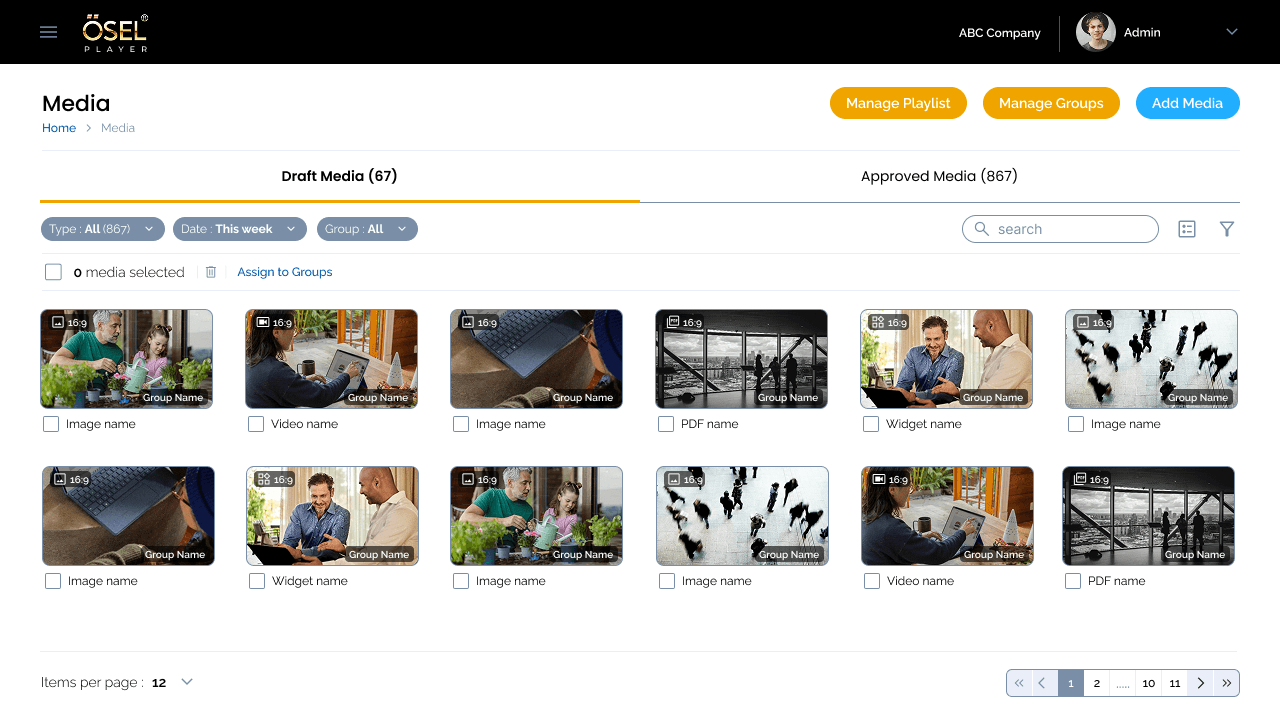
Organize and manage content across multiple media types and create reusable playlists.
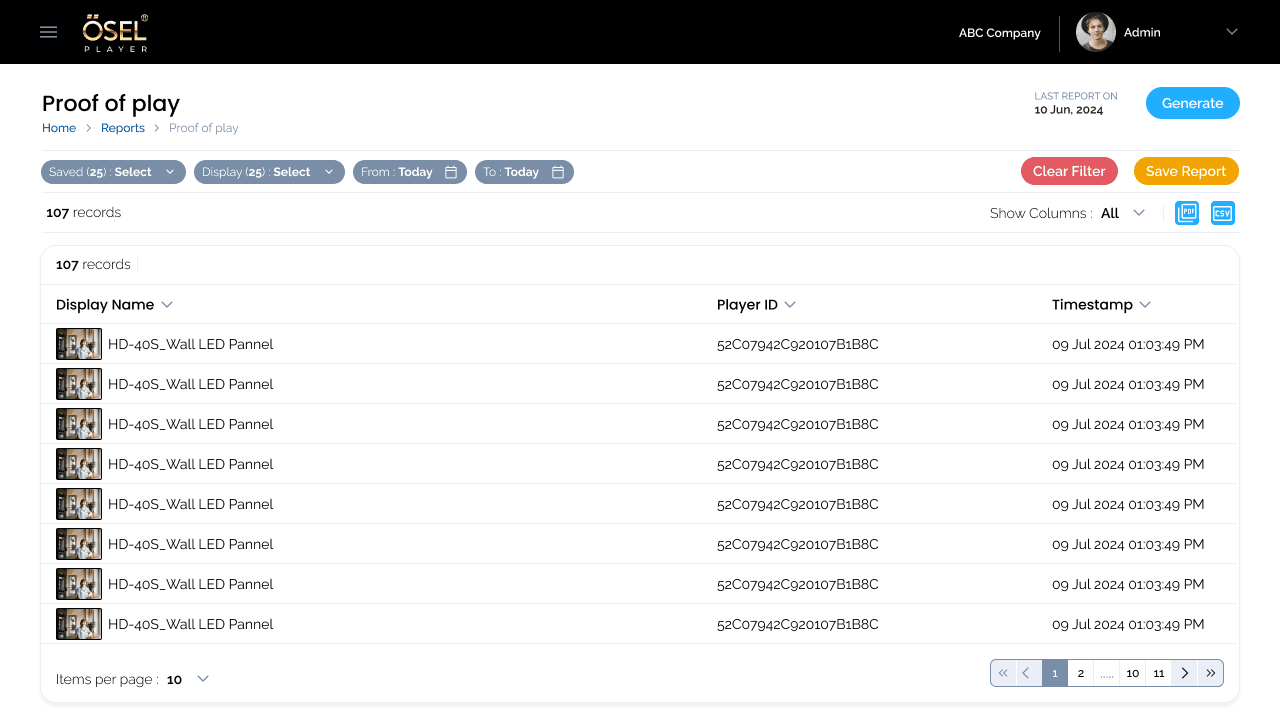
Track signage playback activity and operational status through comprehensive reporting features.
10 —
The resulting interface brings content management, layout creation, scheduling, display administration, permissions, and reporting into a connected signage-management experience.
11 —
OSEL demonstrates the importance of designing enterprise products as connected systems rather than collections of individual screens. The most significant design consideration is the relationship between content, layouts, schedules, displays, and administrative permissions. Good enterprise UX makes complex relationships understandable.
Next Case Study
A two-sided consultation platform connecting clients seeking legal advice with available advocates through integrated booking and case management workflows.
A two-sided consultation platform connecting clients seeking legal advice with available advocates through integrated booking and case management workflows.
Role: UX/UI Design
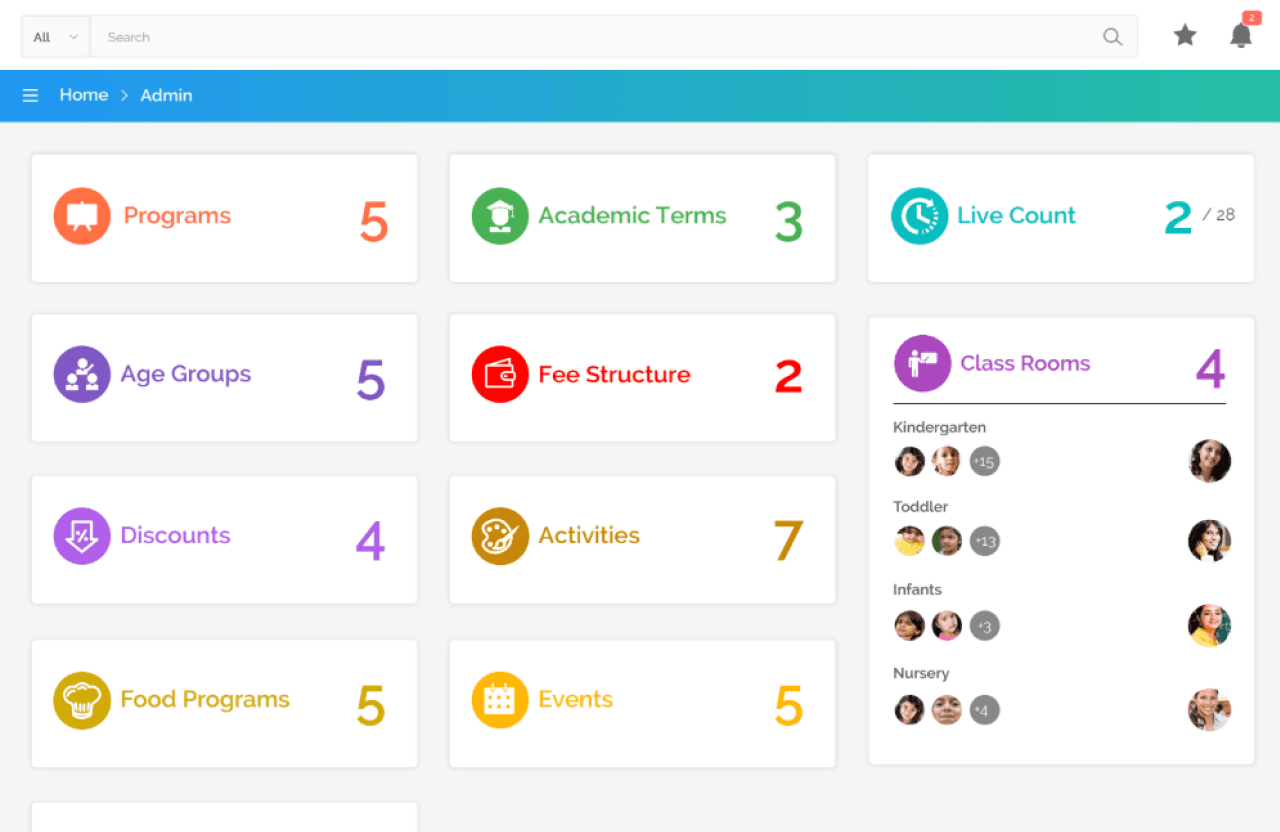
An education management experience designed to bring multiple school workflows and information into a structured digital platform.
Role: UX/UI Design
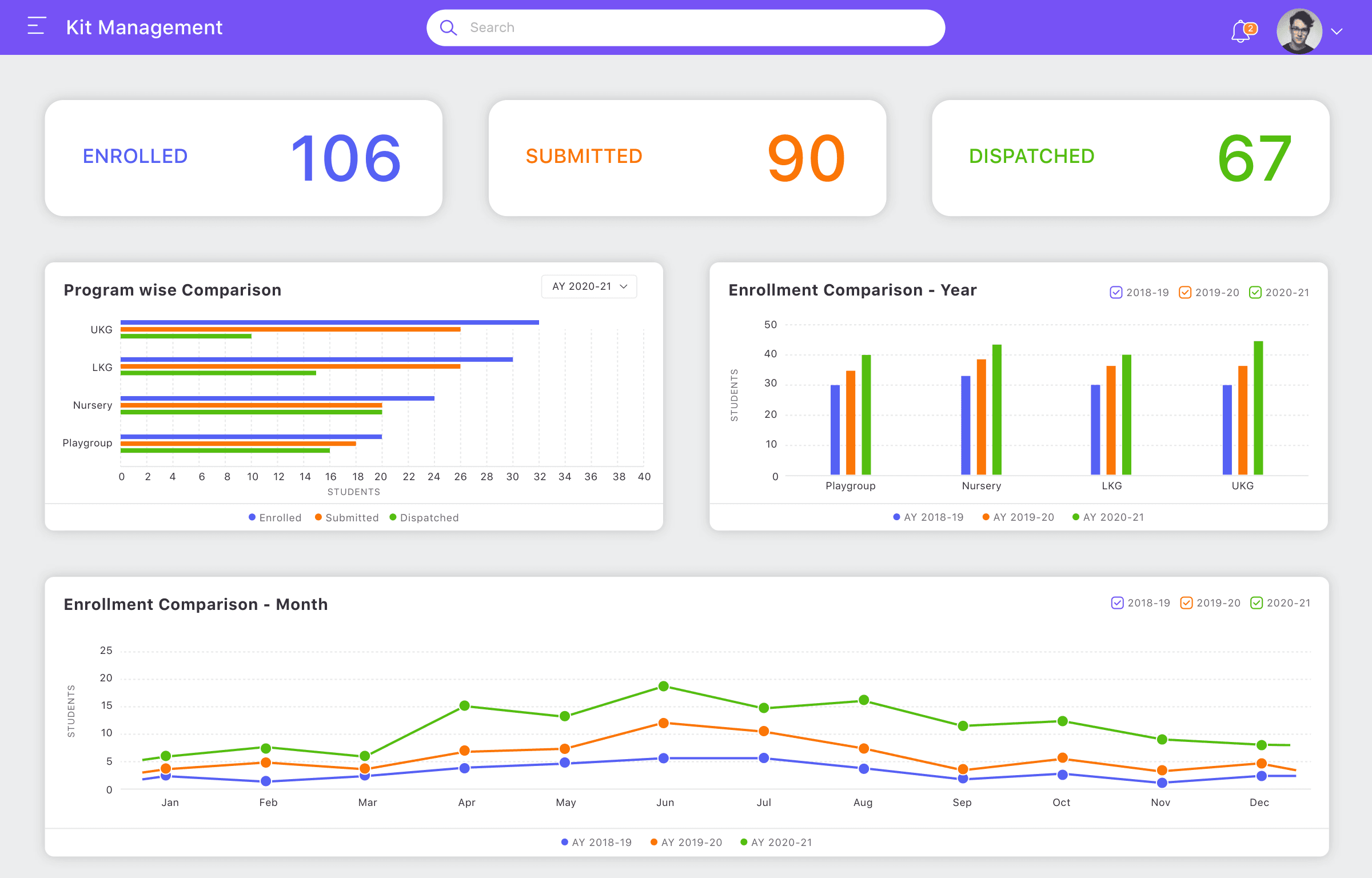
A structured management experience designed to simplify operational workflows and improve visibility across kit-related processes.
Role: UX/UI Design
Let's discuss your project, role or collaboration opportunity.