
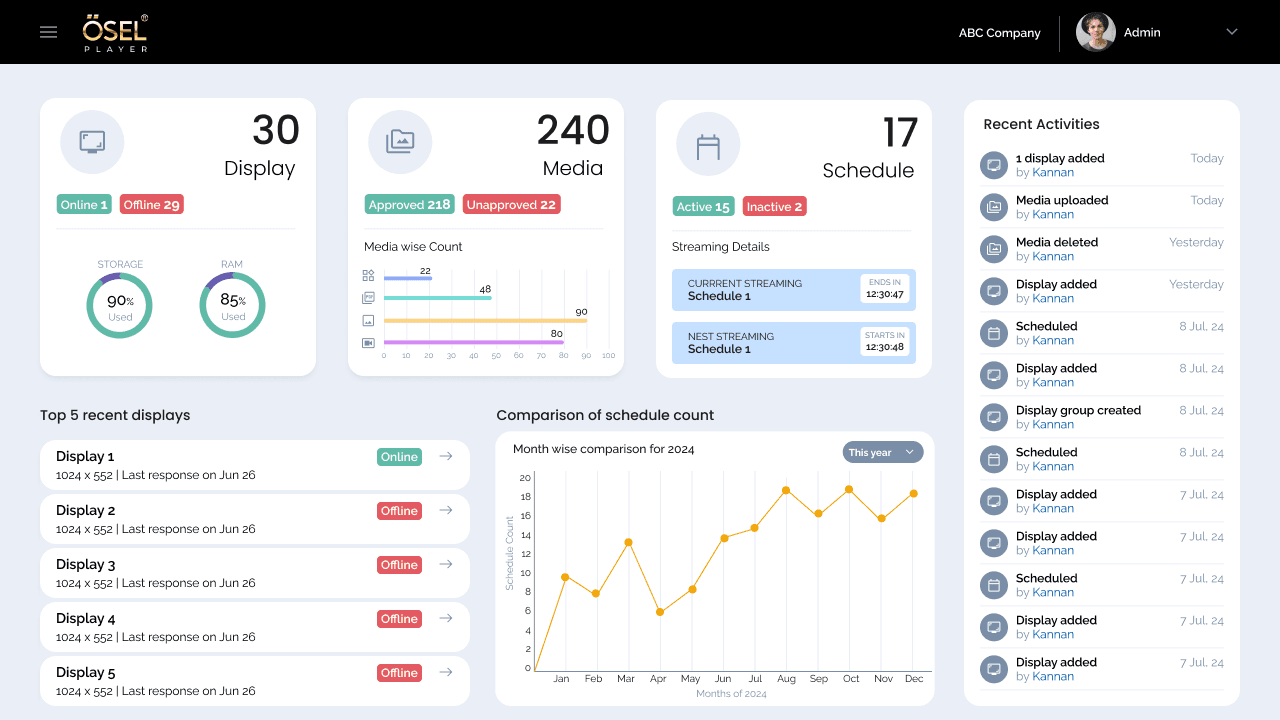
OSEL Signage CMS
A signage management experience designed to help users create, manage and control digital signage content across displays.
Role: UX/UI Design
A structured management experience designed to simplify operational workflows and improve visibility across kit-related processes.
Role
UX/UI Design
Type
Management Platform
Project
Kit Management
Role
UX/UI Design
Type
Management Platform
Status
completed
01 —
Kit Management is a module within a school management system designed to handle the complete workflow of providing study kits to newly enrolled pre-school students. A study kit is a collection of essential materials—bags, books, stationery—configured for each grade level (Playgroup, Nursery, LKG, UKG).
The business operates through a Franchisor-Franchisee model: corporate offices manage kit configuration, stock, and dispatch, while individual pre-school centers onboard students and request kits. The kit serves a dual purpose—an operational necessity for new students and a revenue stream for payment collection.
The design challenge was to automate a workflow that previously relied on manual, paper-based processes between these two user groups. The system needed to create visibility for both sides: corporate oversight for operational management, and center-level tracking for request monitoring.
02 —
The fundamental design challenge was that two very different user groups needed to work within the same workflow, but with opposite mental models.
The Franchisor (Corporate Office) thinks in aggregates and operations. They need high-level visibility across all centers, operational dashboards showing metrics and trends, the ability to manage kit requests, and reporting to understand financial collection and performance.
The Franchisee (Pre-school Center) thinks in tasks and local context. They need to see newly enrolled students at their center, submit kit requests, provide payment information, and track whether requests have been processed and dispatched.
Rather than creating one interface that tried to serve both, the approach was to create two distinct experiences, each optimized for how its users think about the problem.
03 —
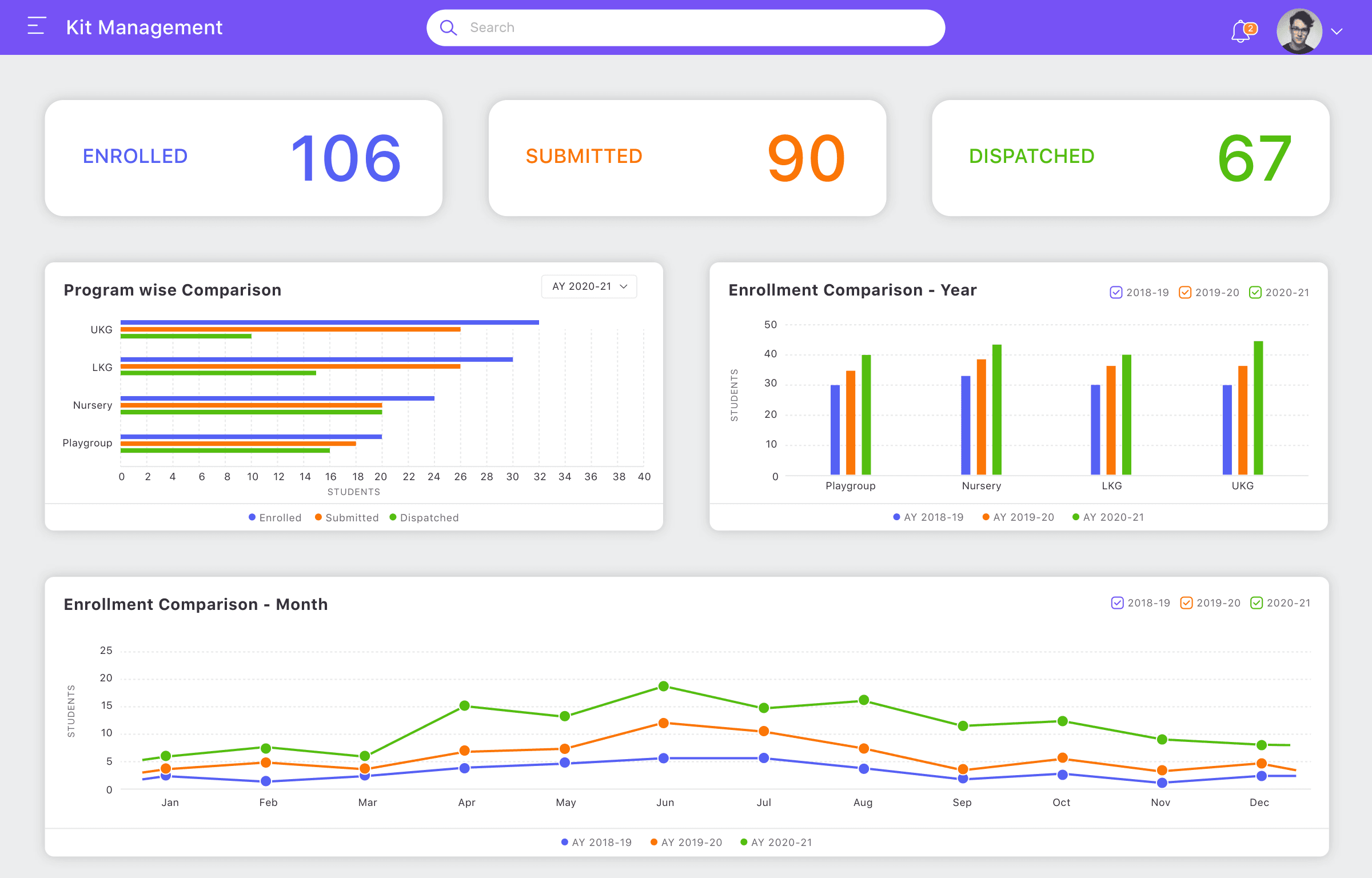
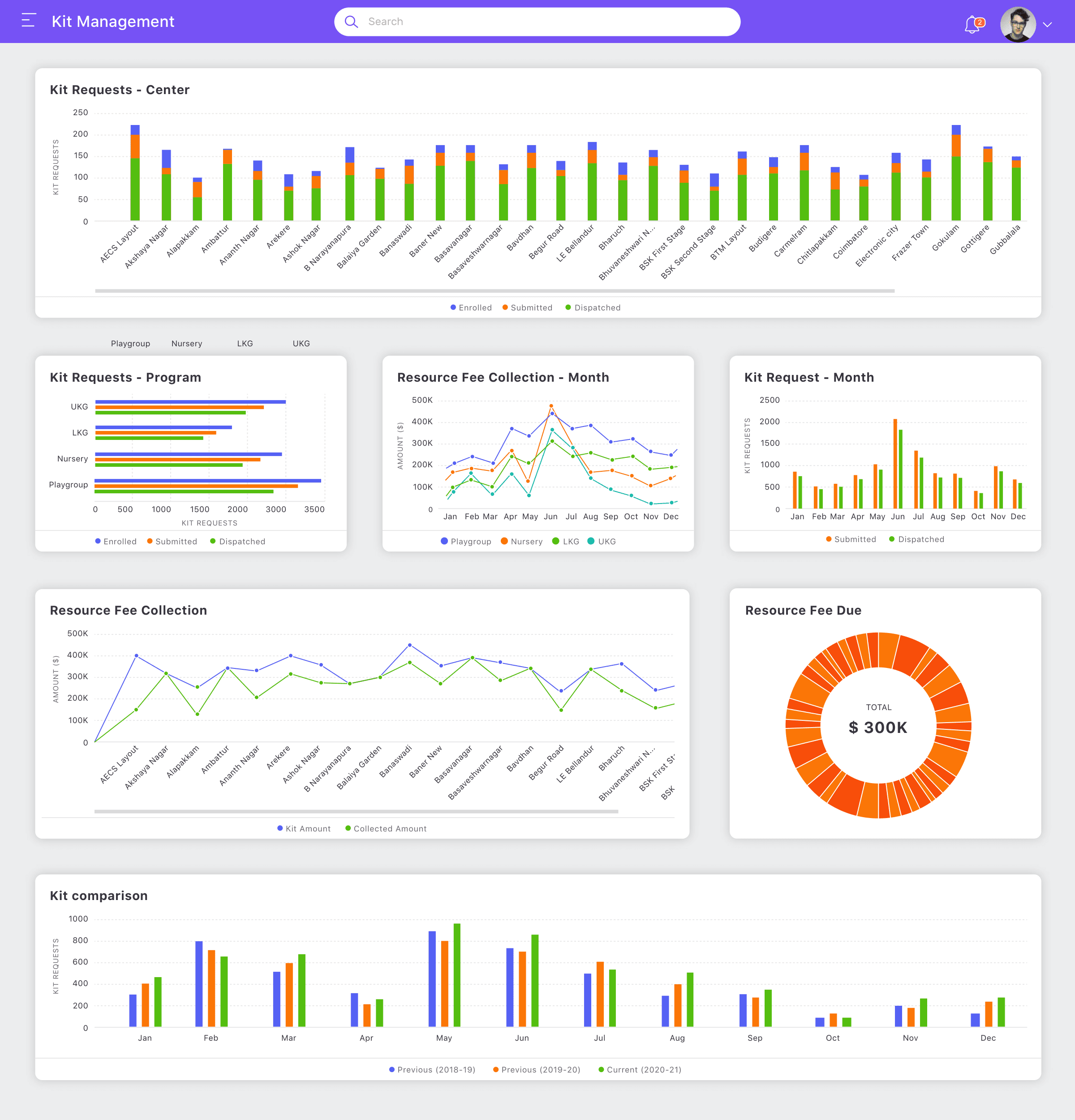
Franchisor Dashboard
The corporate office sees a dashboard showing aggregate metrics across all centers, operational visibility into requests, and financial collection status.
Franchisee Dashboard
Each pre-school center sees their own enrollment, request status, and dispatch tracking—a local view rather than system-wide aggregates.
04 —
Despite having separate interfaces, both users are part of a single connected workflow. The workflow moves through distinct phases, each supporting a different part of the request lifecycle:
Franchisee creates a request → Provides payment information → Franchisor reviews and processes → Kits are dispatched → Franchisee tracks status.
The design had to make this lifecycle clear for both sides while reflecting that they see different aspects of the same flow.
05 —
01
Student Enrollment
Franchisee onboards new students
02
Kit Request
Franchisee creates request
03
Payment Information
Franchisee provides payment details
04
Franchisor Processing
Corporate office reviews and processes
05
Kit Dispatch
Kits are sent (full or partial)
06
Status Tracking
Franchisee monitors progress
Student Enrollment
Franchisee onboards new students
Kit Request
Franchisee creates request
Payment Information
Franchisee provides payment details
Franchisor Processing
Corporate office reviews and processes
Kit Dispatch
Kits are sent (full or partial)
Status Tracking
Franchisee monitors progress
06 —
My process began by understanding the business requirements provided by the Project Manager, then mapping how each user group needed to interact with the system.
First, I understood the ecosystem: What is a kit and how is it composed? Who manages what? What data matters to each user? Then I developed the information architecture: What features must each side have? How should they be organized? What information is critical at each step?
Next, I designed workflows for each user group: How does a Franchisor operate at their dashboard level? How does a Franchisee execute the request creation task? What are the differences in their interaction patterns and needs?
Finally, I refined the designs based on Project Manager feedback and prepared the complete module design for handoff to the development team.
07 —
The Franchisor interface is built on a dashboard-first approach, because the corporate office's primary need is operational visibility across all centers.
08 —
The Franchisor dashboard shows aggregate metrics and gives corporate staff visibility into kit requests across all franchise locations. This operational view allows monitoring of submissions, tracking collections, and understanding fulfillment status at a glance.
09 —
Franchisor can view all submitted requests from all centers, see request status, and understand the volume of pending work.
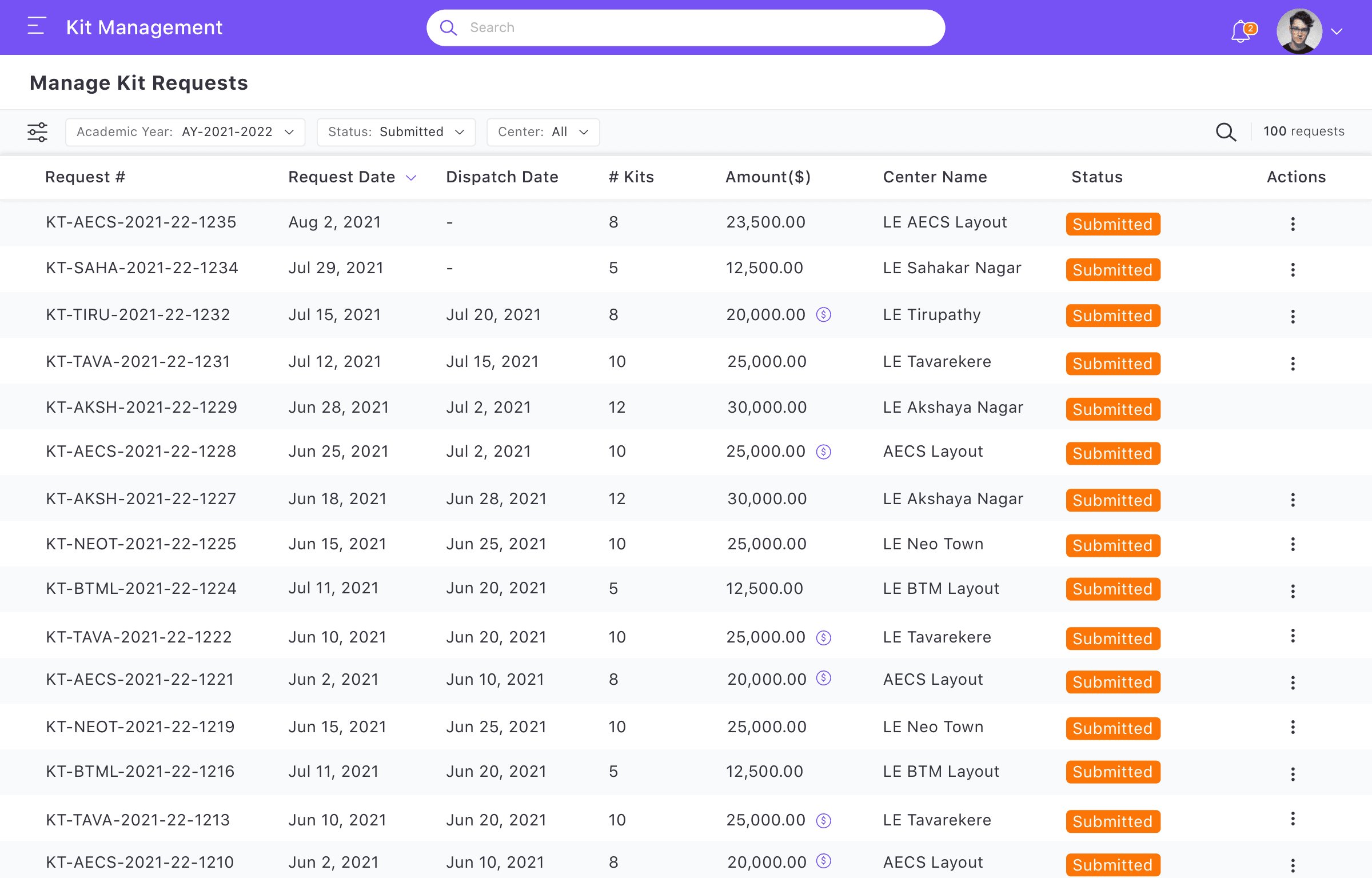
Franchisor can drill into individual requests to see student details, verify payment information, and manage the dispatch workflow.
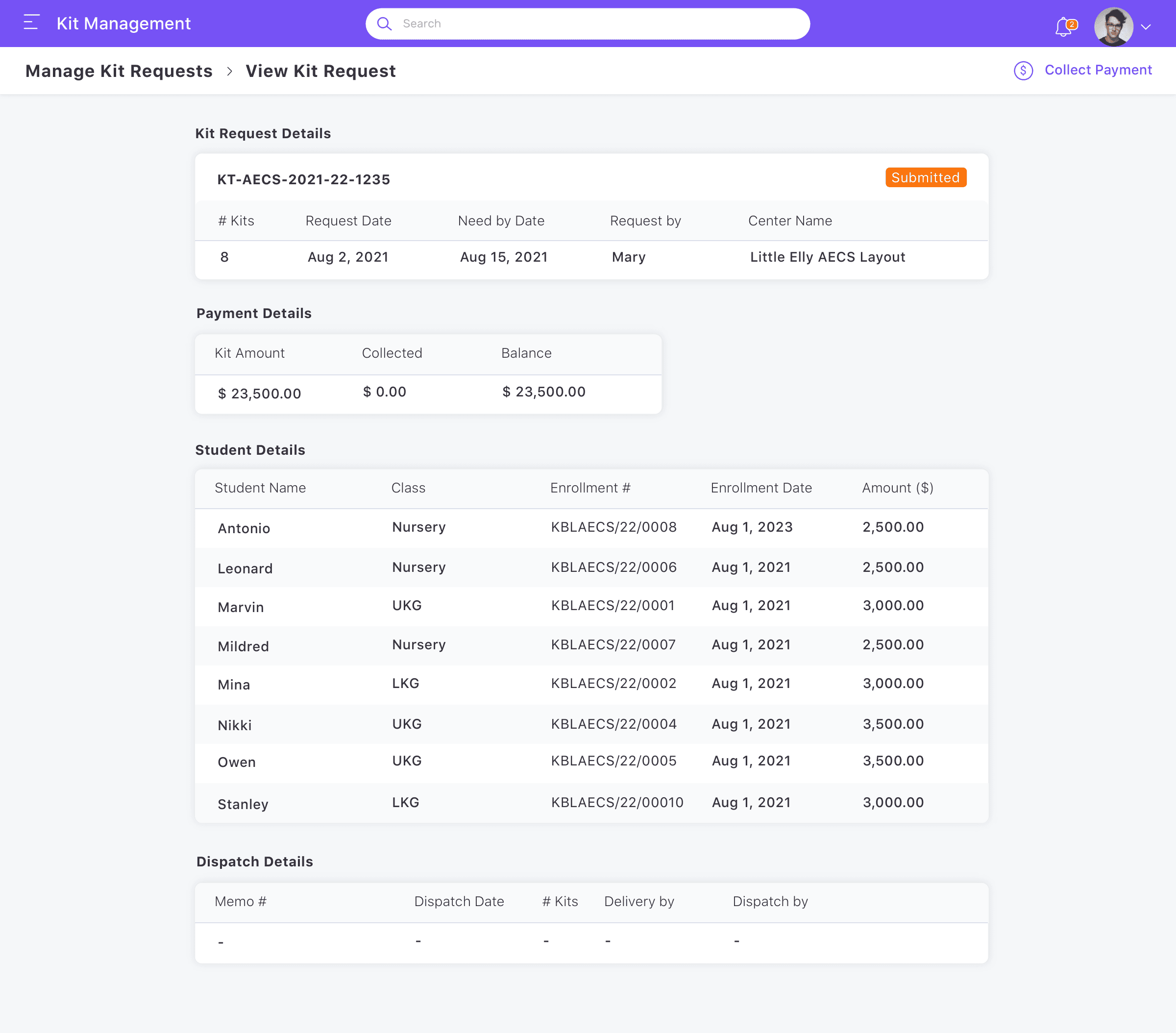
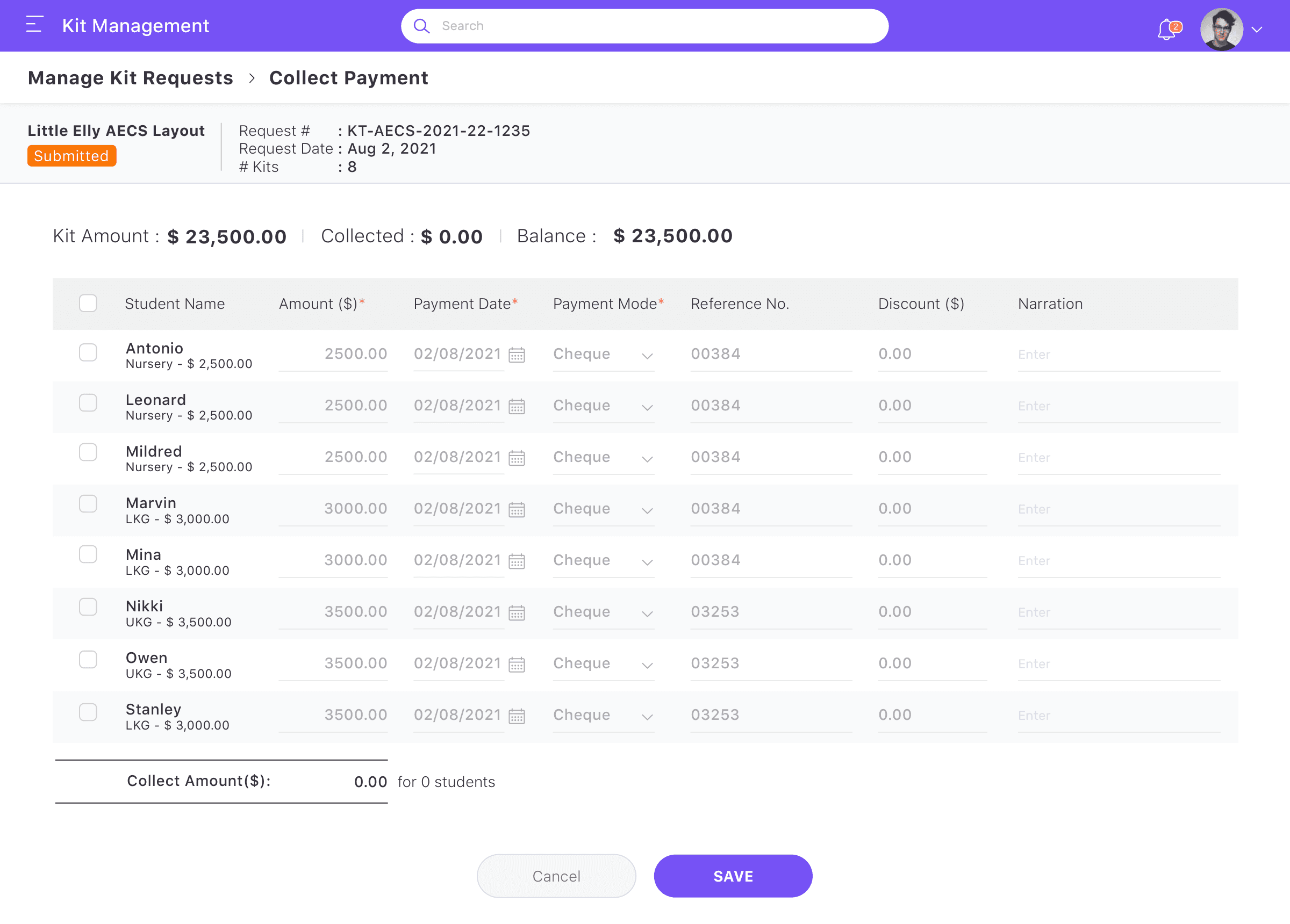
The interface supports payment verification and collection tracking as a core part of request processing.
10 —
The Franchisee interface is designed around task completion. The center manager's core task is straightforward: see newly enrolled students, create a kit request for them, provide payment information, and then track that request through processing and dispatch.
11 —
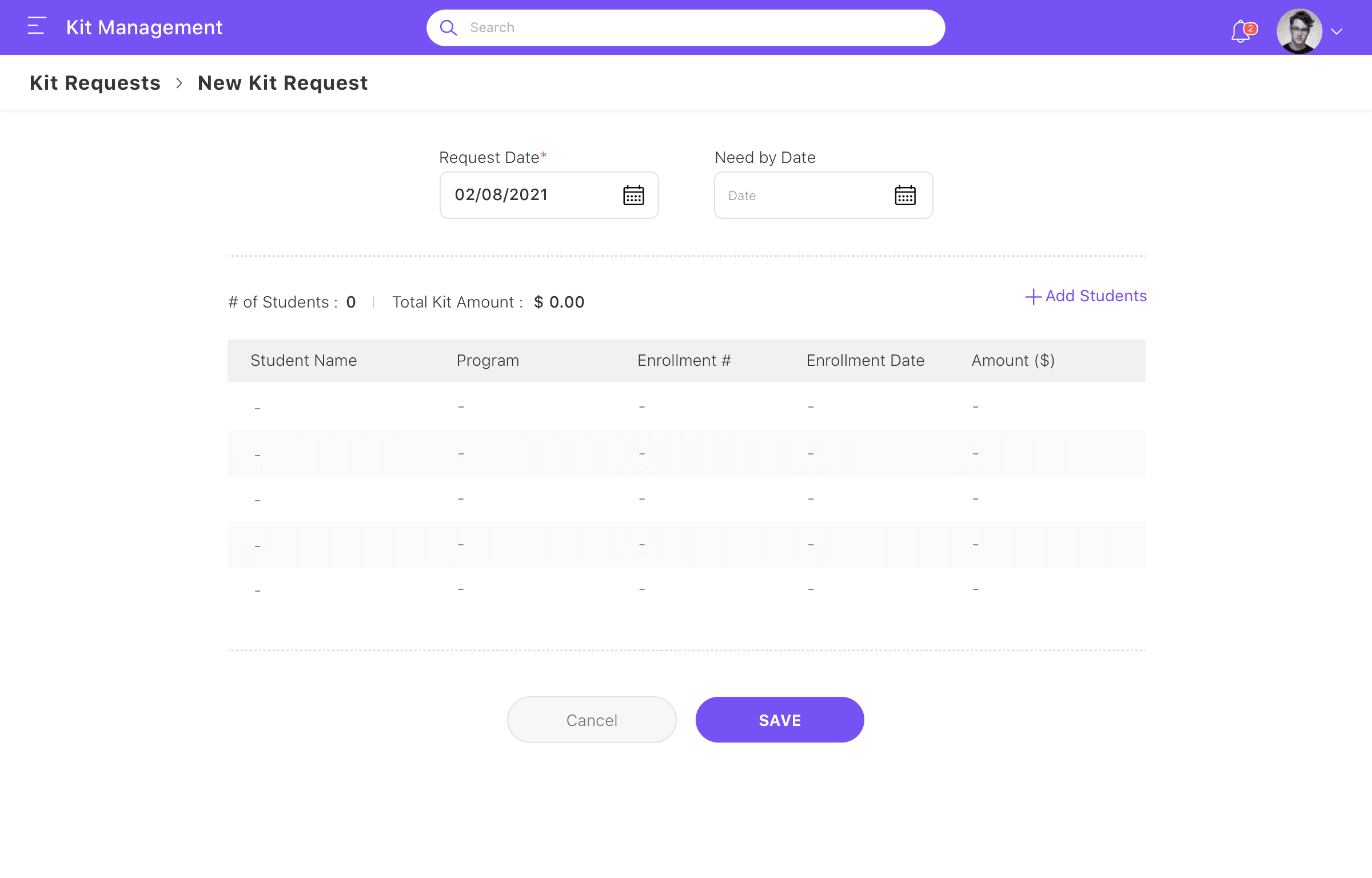
The primary interaction for a Franchisee is the kit request creation experience. Centered on selecting students and providing payment information, the workflow is linear and task-focused.
12 —
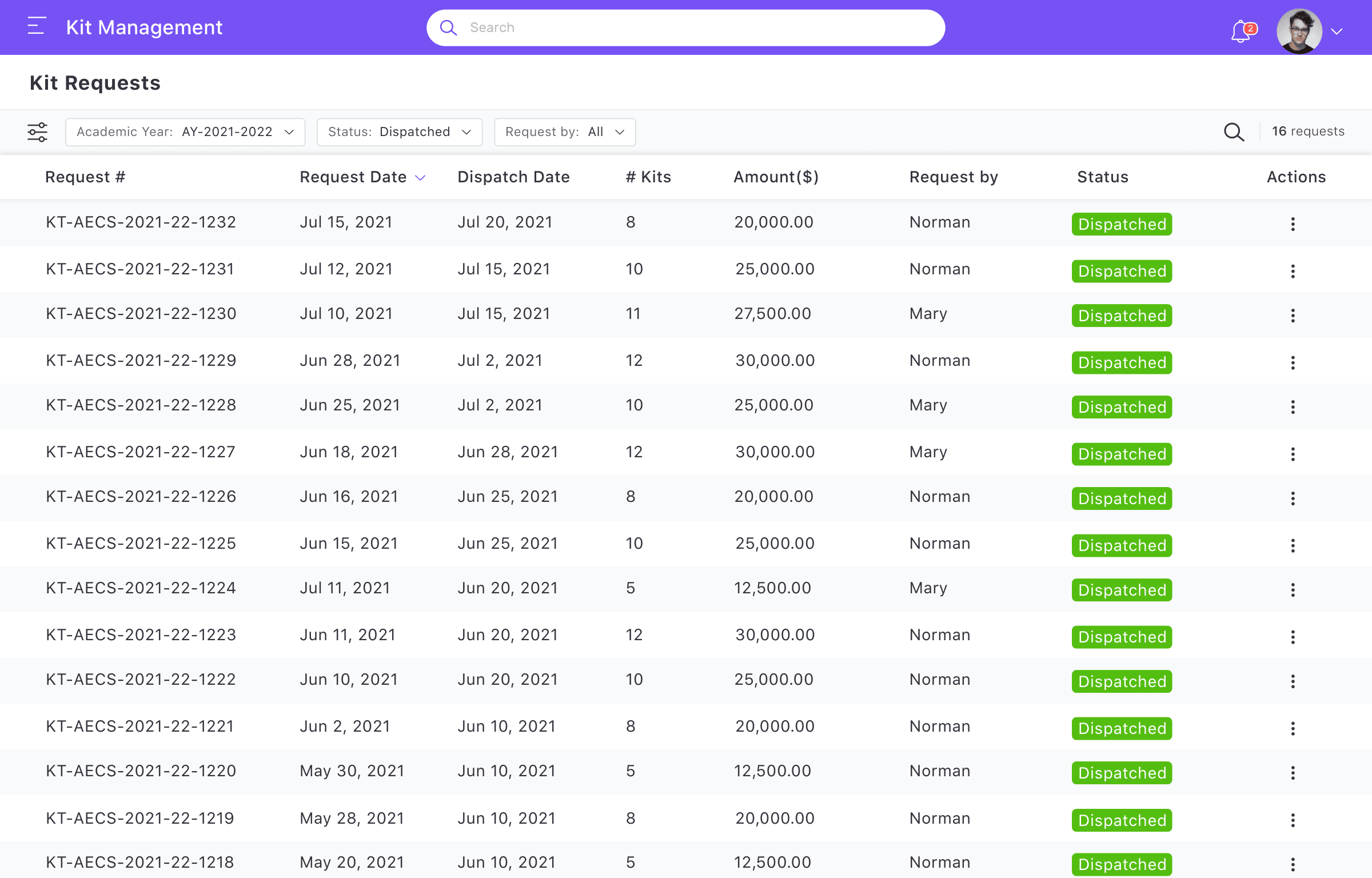
The Franchisee dashboard provides a center-specific view of enrollment, request status, and dispatch progress for their students.
After submission, Franchisee can view their submitted requests and track status (Submitted, Partially Dispatched, or Dispatched) to understand what has been fulfilled.
13 —
Several design decisions emerged from thinking through these workflows and how to serve two fundamentally different user groups:
14 —
Key Responsibilities
15 —
The complete module design was prepared and handed to the development team. This included information architecture, screen designs for all major user flows, design assets, and specifications for both Franchisor and Franchisee interfaces.
The design demonstrates end-to-end UX thinking: from business requirements through user-focused interface design to development-ready specifications. The design provided the blueprint for implementation.
16 —
The separation of Franchisor and Franchisee interfaces addresses a fundamental design challenge: two very different users within one connected workflow. By tailoring the experience to each role's mental model—operations versus task completion—the design makes complex workflows feel natural for both users.
This project demonstrates an approach that transfers beyond Kit Management: when two user groups have opposite needs, separate interfaces often work better than forced unification. Dashboard-first is powerful for operational roles; task-first is powerful for transactional roles. Connecting payment information to the request keeps workflows efficient. Status visibility reduces support burden and builds user confidence.
A signage management experience designed to help users create, manage and control digital signage content across displays.
Role: UX/UI Design
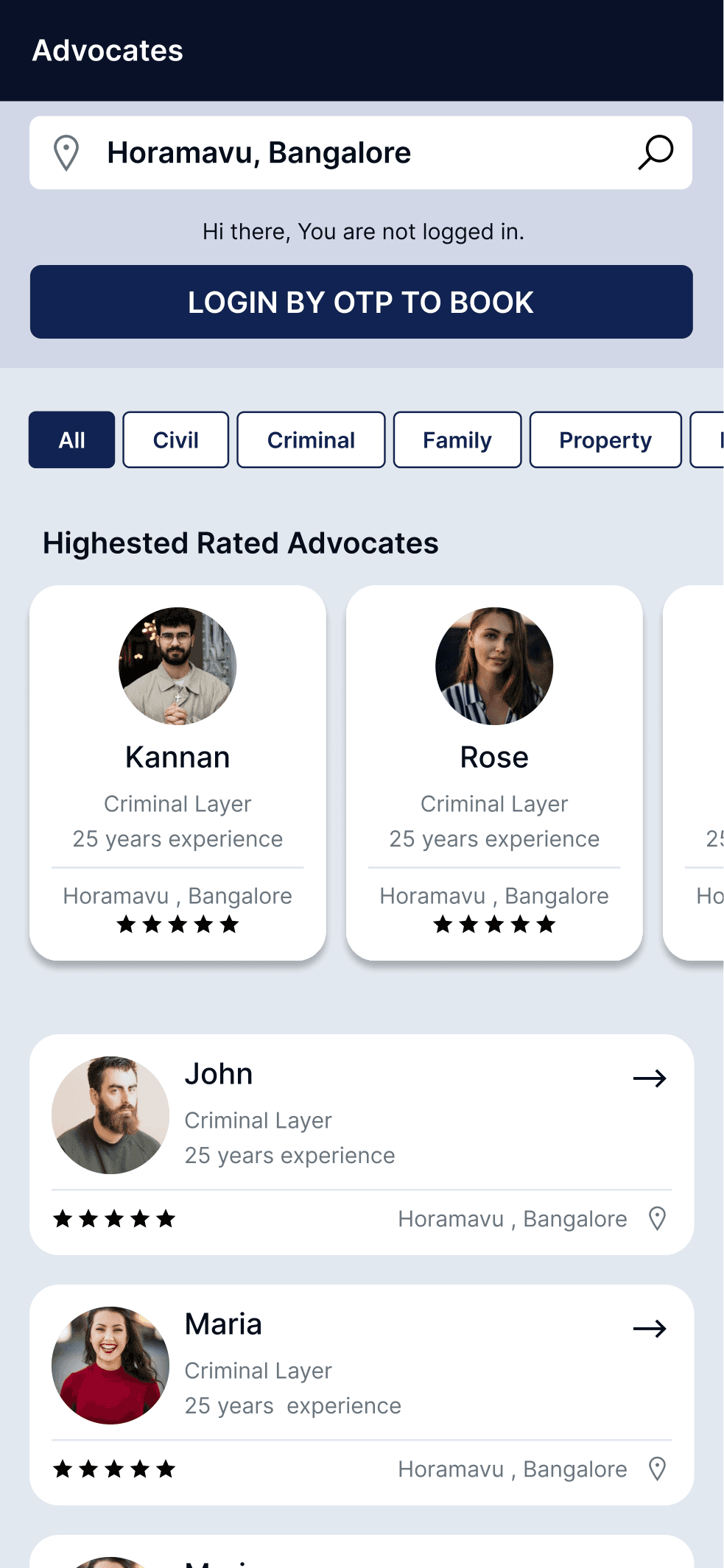
A two-sided consultation platform connecting clients seeking legal advice with available advocates through integrated booking and case management workflows.
Role: UX/UI Design
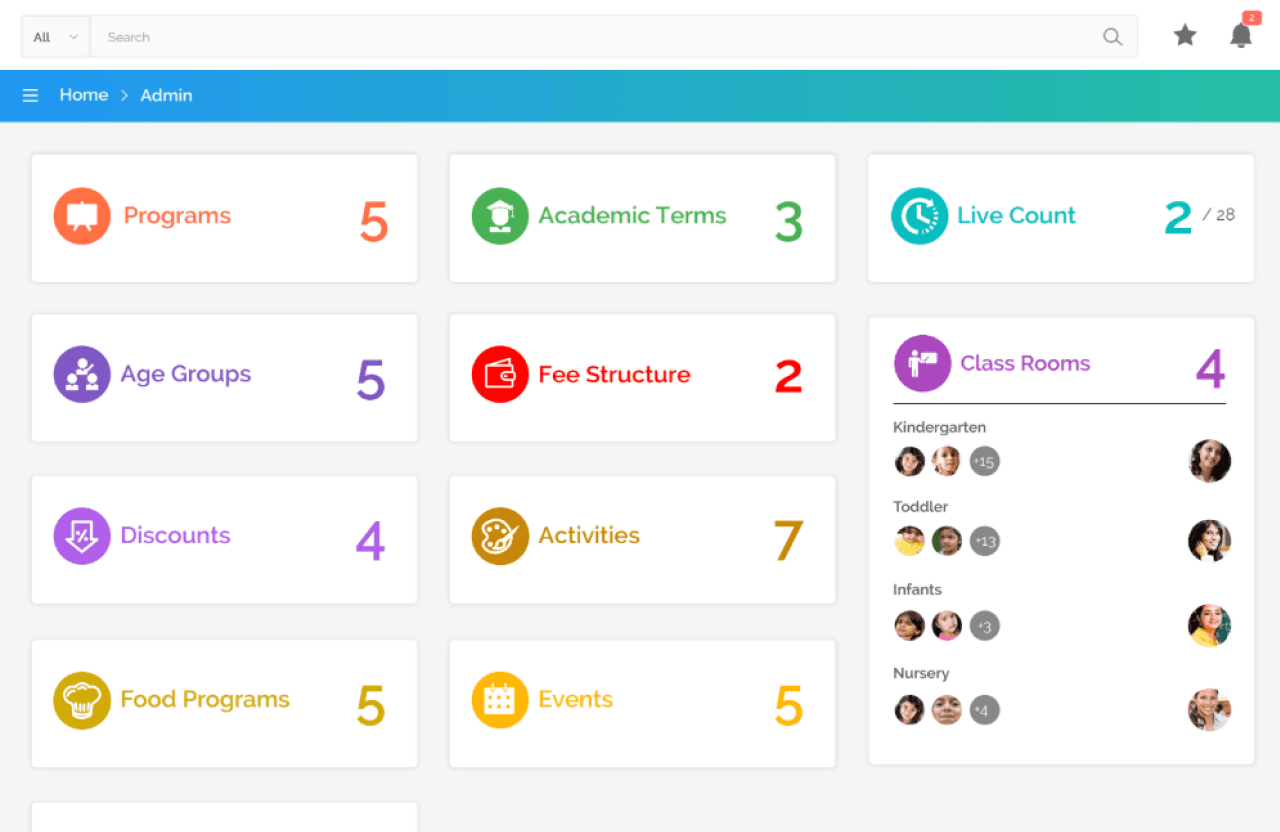
An education management experience designed to bring multiple school workflows and information into a structured digital platform.
Role: UX/UI Design
Let's discuss your project, role or collaboration opportunity.