
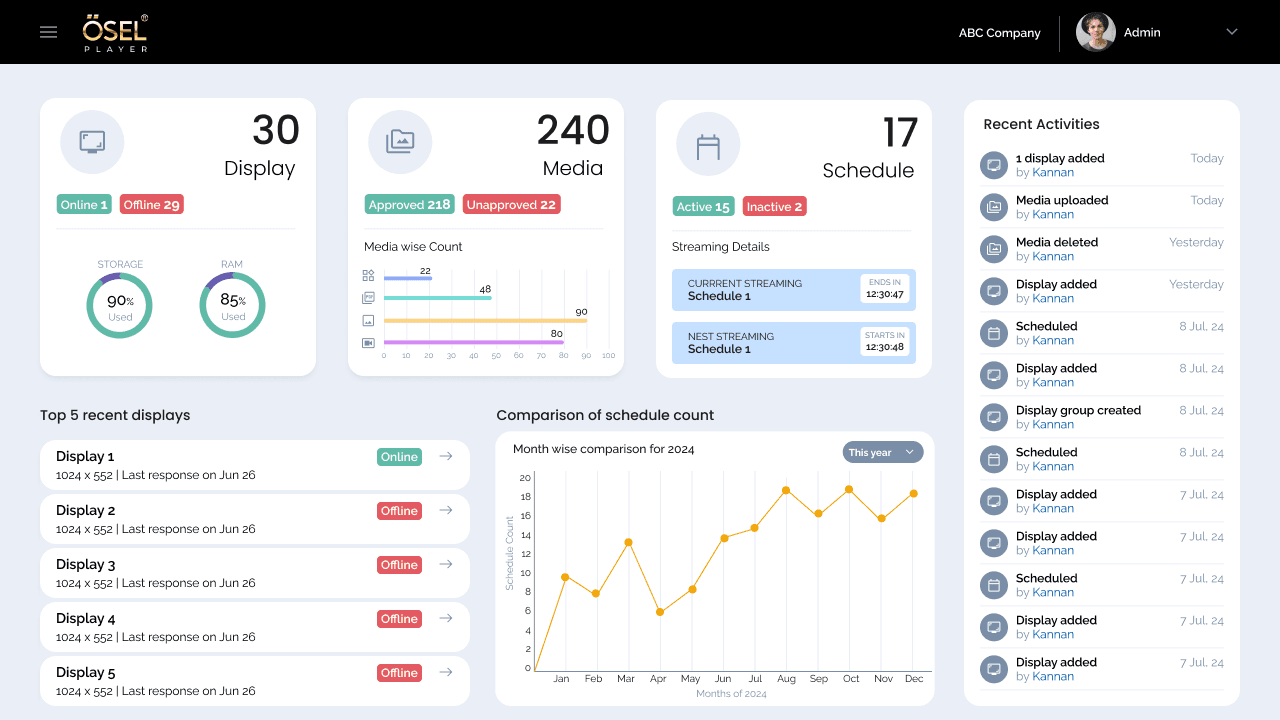
OSEL Signage CMS
A signage management experience designed to help users create, manage and control digital signage content across displays.
Role: UX/UI Design
An education management experience designed to bring multiple school workflows and information into a structured digital platform.
Role
UX/UI Design
Type
Education Management Platform
Project
School ERP
Role
UX/UI Design
Type
Education Management Platform
Status
completed
01 —
Building a unified School ERP system meant translating broad requirements into a coherent experience that could serve multiple school roles and workflows simultaneously — across admissions, student enrollment, academic operations, financial management, and staff administration.
02 —
My process: understand the requirements, map key workflows (admissions, enrollment, fee management, staff roles), structure the information architecture, design each workflow's UX, and refine through stakeholder feedback.
03 —
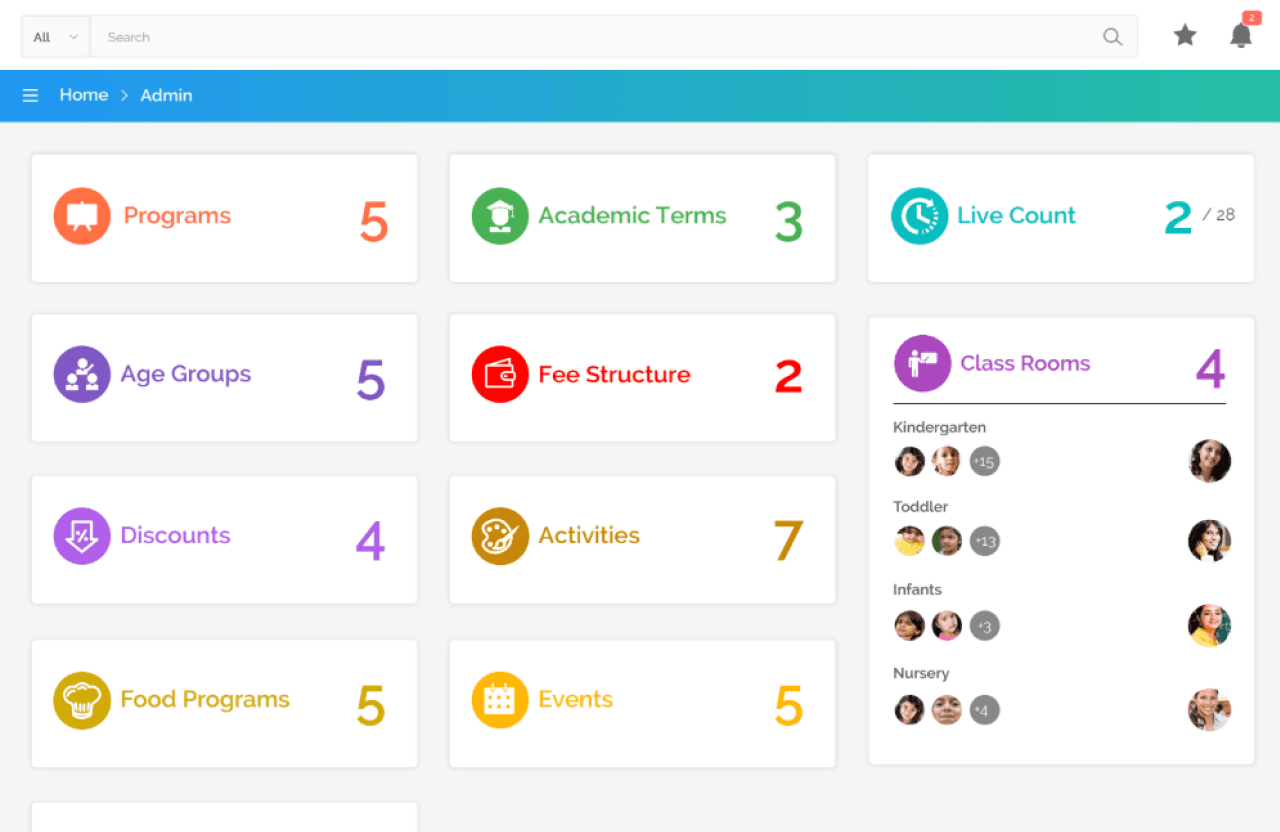
An administration-focused dashboard bringing core school operations into one structured view, from programs and academic terms to fee structures, classrooms, activities and events.
04 —
Leads · Registrations · Enrollments
Students · Families · Users · Roles
Classes · Teachers · Sessions
Tasks · Events · Activity · Communication
Fee Structure · Payments · Collections
User Management · Permissions · Settings
05 —
01
Lead Management
Capture and qualify prospects
02
Family Records
Connect students with family information
03
New Enrollment
Multi-step enrollment process
04
Enrollment Management
Manage active enrollments
05
Enrollment Detail
Track record history and status
06
Fee Structure
Administrative configuration
07
Student Fee Assignment
Apply fees to enrolled students
Lead Management
Capture and qualify prospects
Family Records
Connect students with family information
New Enrollment
Multi-step enrollment process
Enrollment Management
Manage active enrollments
Enrollment Detail
Track record history and status
Fee Structure
Administrative configuration
Student Fee Assignment
Apply fees to enrolled students
06 —
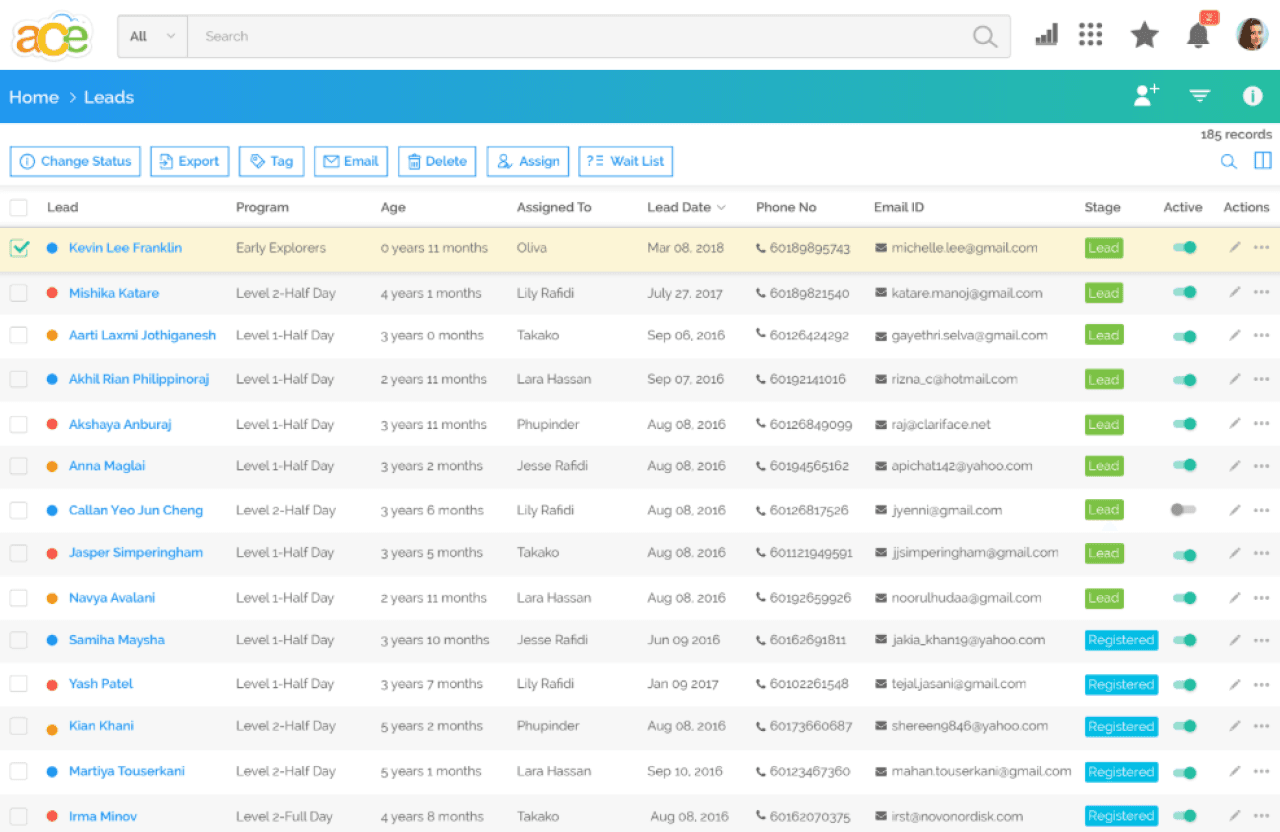
The lead management interface demonstrates how to structure a high-volume prospect experience around searchable records, status tracking, assignment, and next actions. Each lead record contains key information — name, program interest, age, assignment, contact information, and lead date — organized in a scannable list format.
07 —
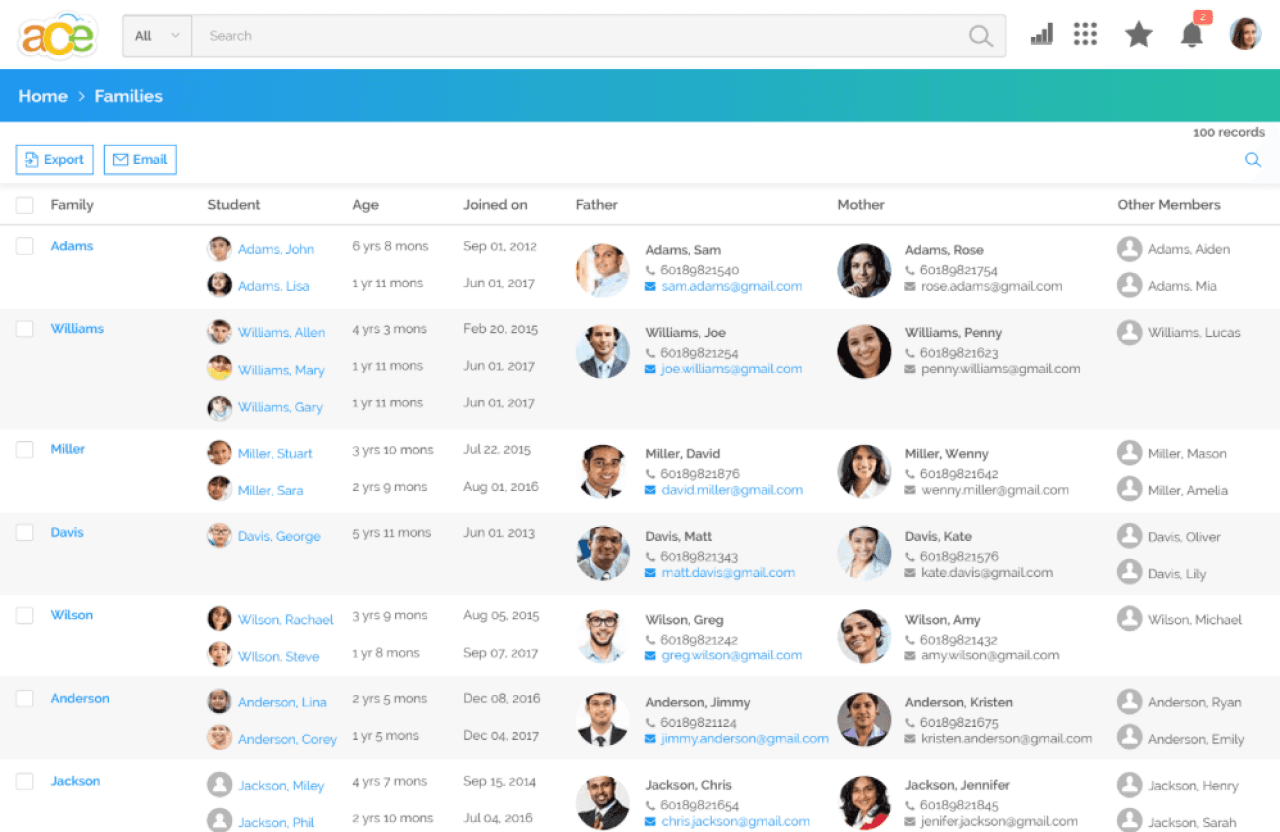
Family records connect students with related household information, giving staff a structured view of students, parents and other family members within the same record. Families are organized to show the student-family relationship and other household members.
08 —
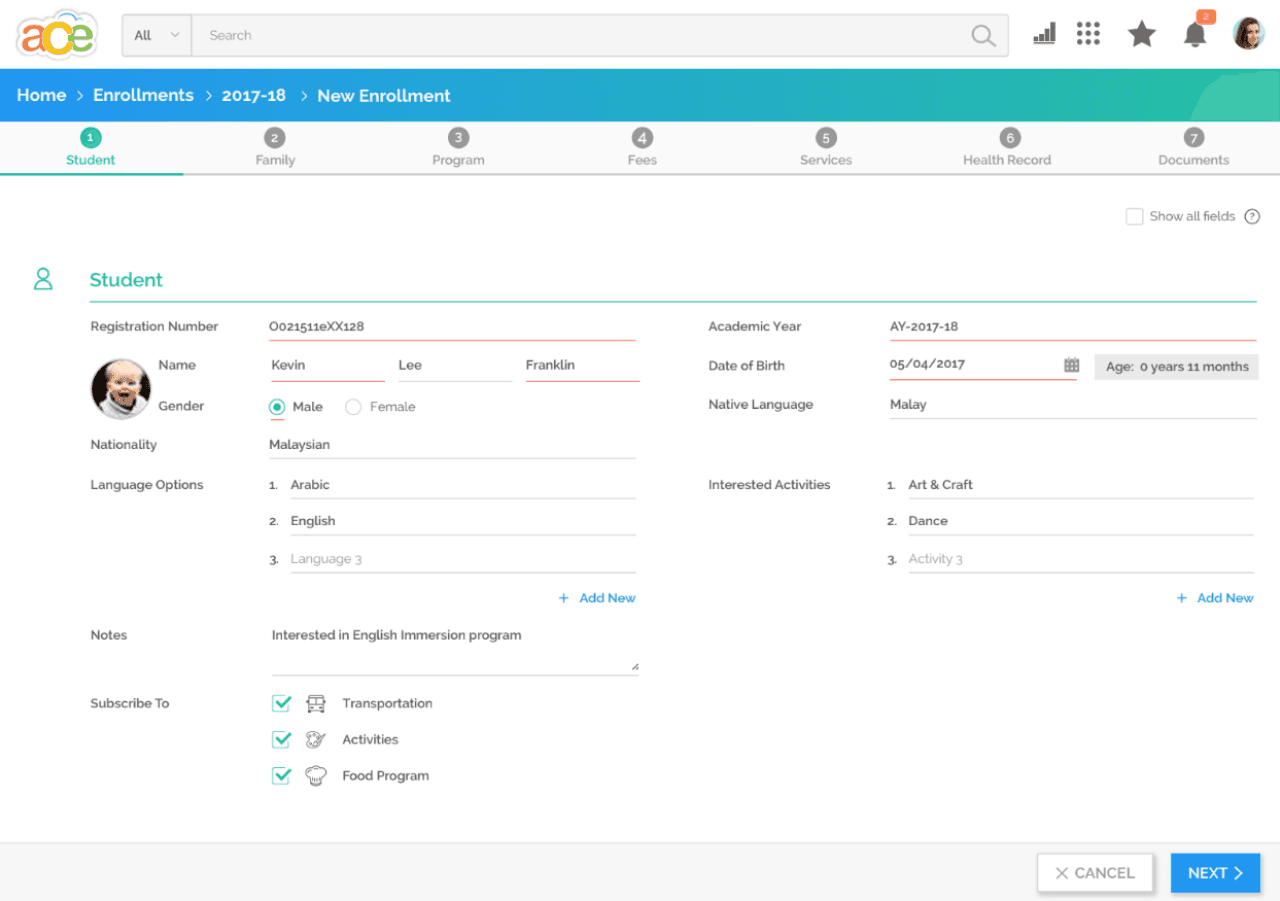
New enrollment is handled through a structured workflow with dedicated steps: Student, Family, Program, Fees, Services, Health Record, and Documents. Each step focuses on specific data categories, making complex enrollment manageable by breaking it into clear, progressive stages.
09 —
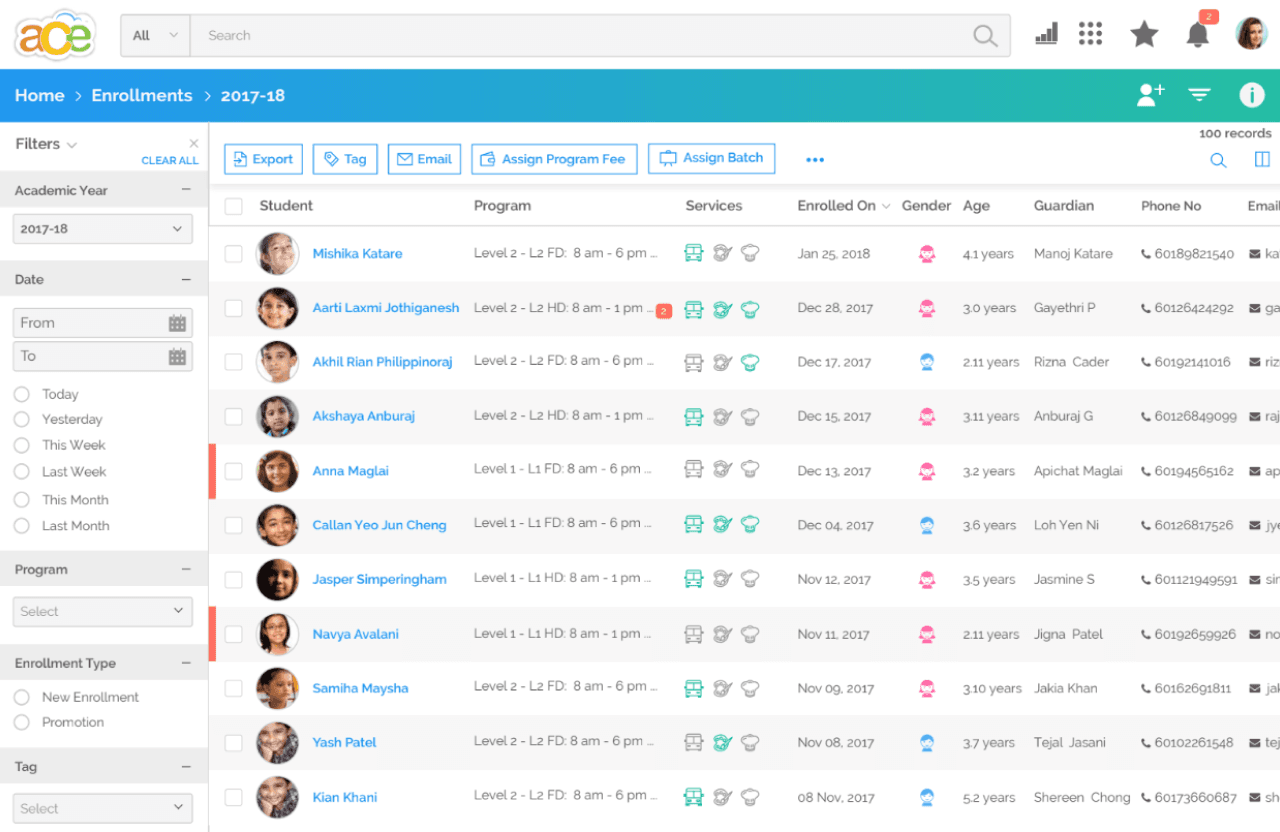
Once enrollment records are created, staff can manage students across academic year, program and enrollment type while reviewing associated services and guardian information. The enrollment list provides a structured view for managing multiple students.
10 —
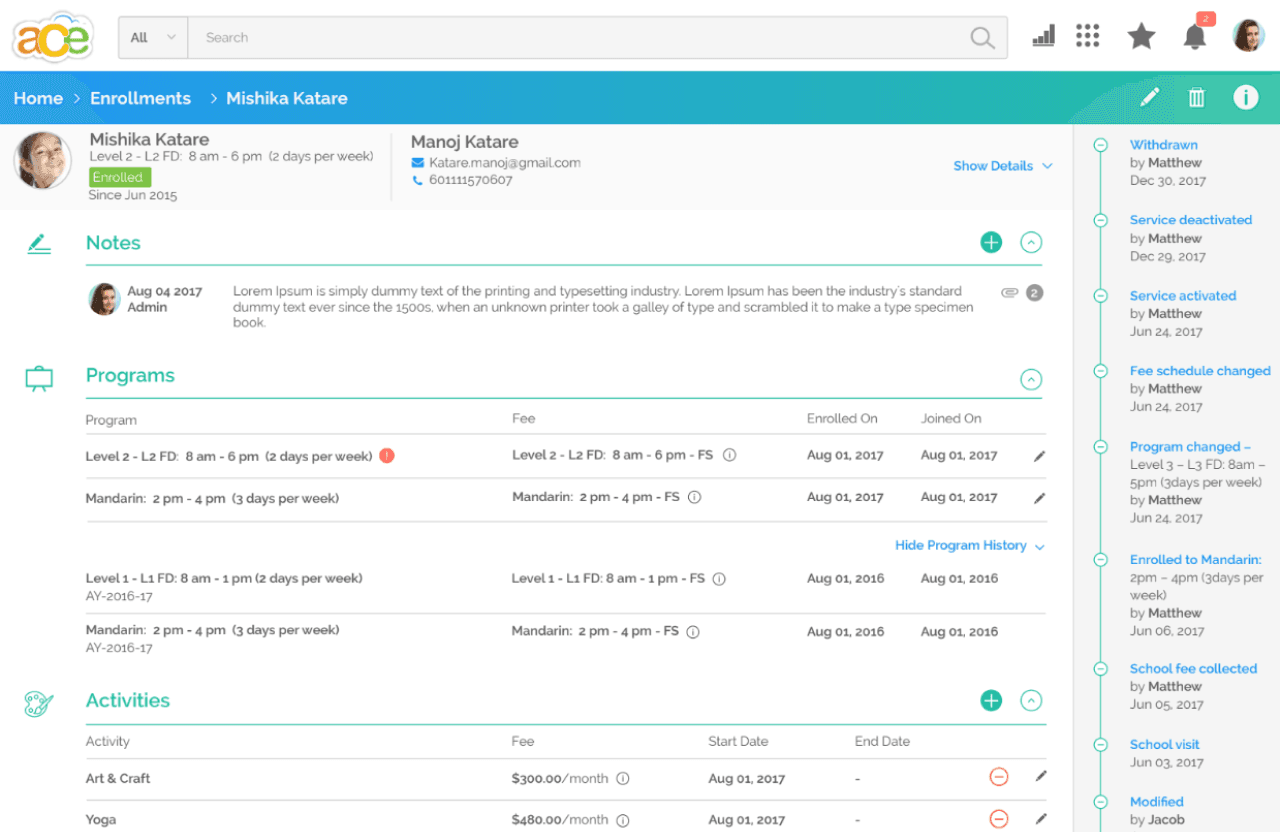
The enrollment record brings program history, activities, notes and status changes into a single detailed view, supporting ongoing management after enrollment. Staff can review the complete enrollment journey and make adjustments as needed.
11 —
The system needed to serve different school roles with fundamentally different perspectives. Administrators need system-wide operational visibility and configuration controls. School/center staff need a local view of their students and operations. The design approach was to create distinct experiences optimized for how each role thinks about their work, rather than forcing them into a unified interface.
A clear example is the fee management experience: administrators configure system-wide fee structures defining fees for all programs and centers, while school staff apply those structures to their specific students and track payments. Both work with the same underlying data, but from completely different perspectives.
12 —
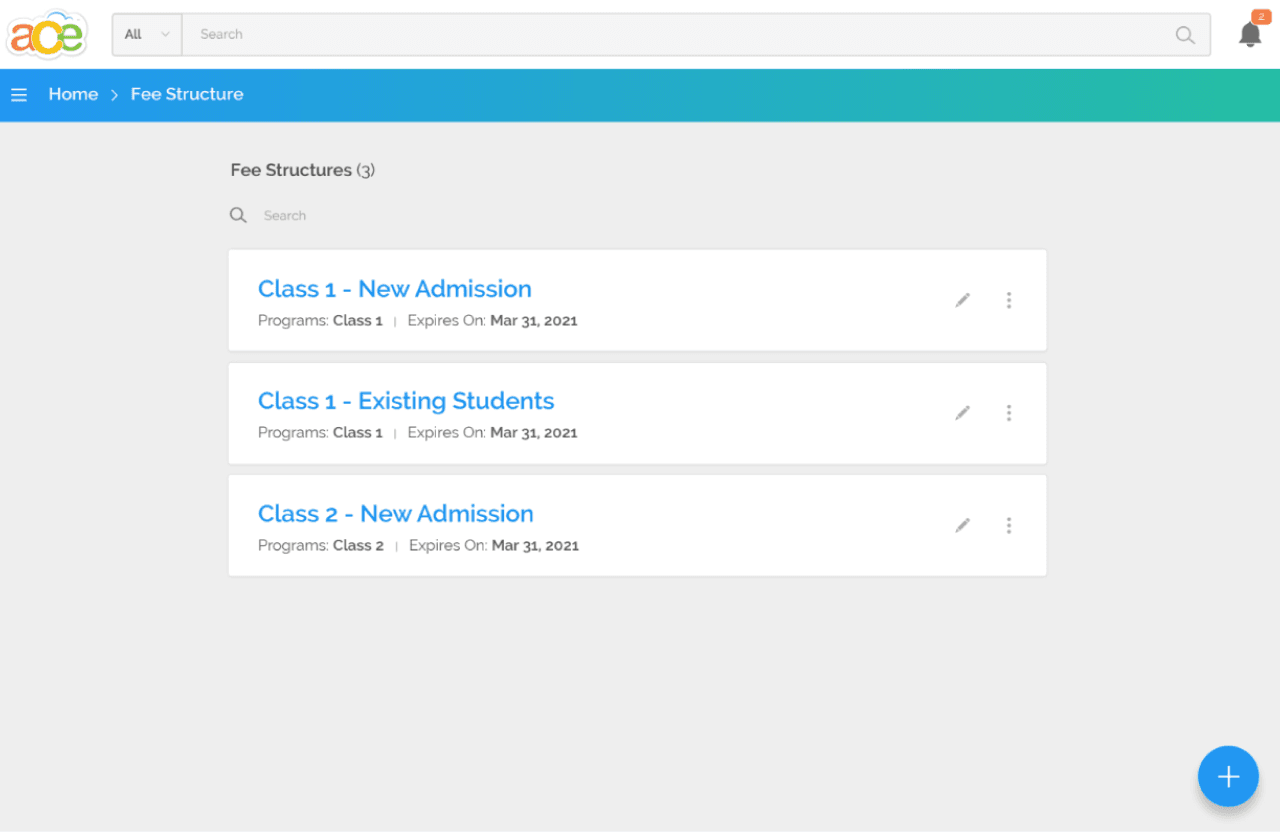
Fee structures are organized as reusable configurations for different program and admission contexts. Administrators can manage multiple fee structures, each tailored to specific program-admission combinations, providing a centralized place to organize and apply fees across the system.
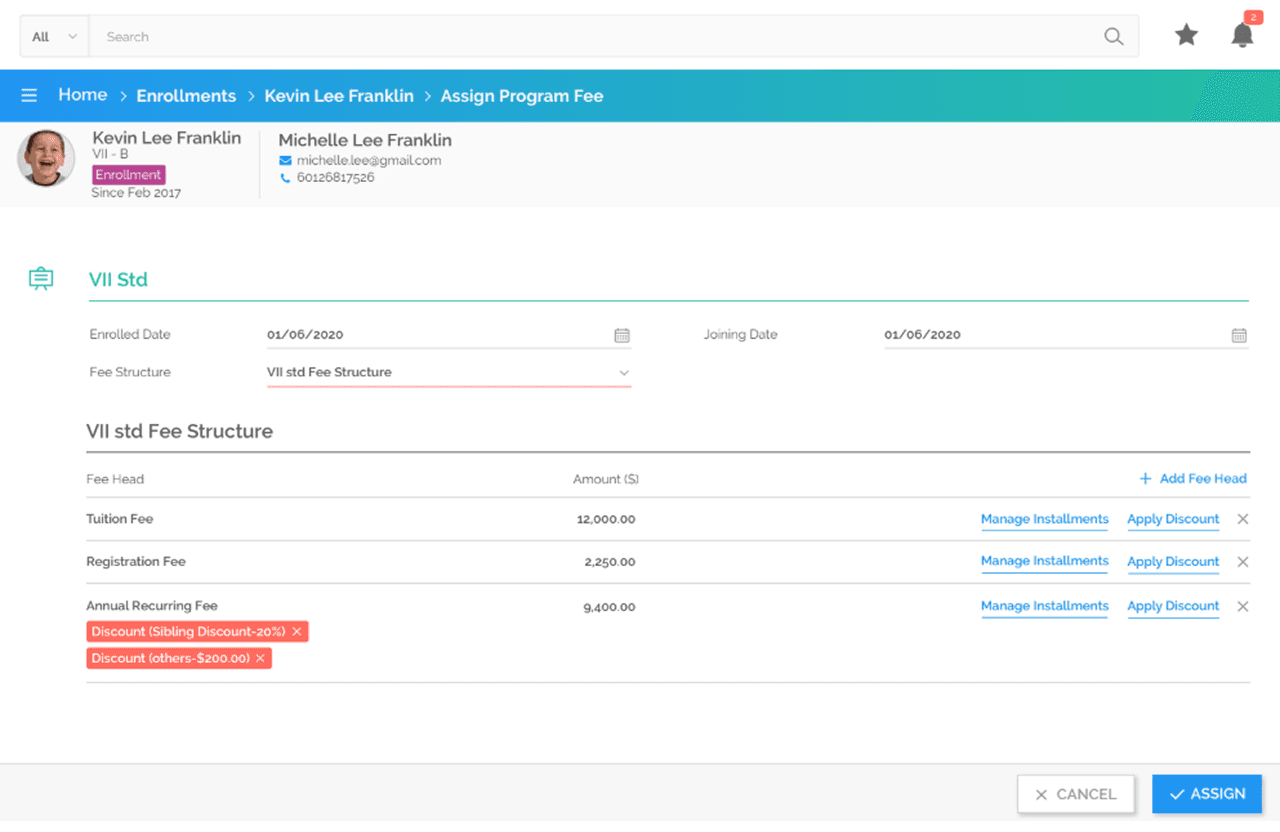
School staff manage student-specific fee assignment at the local level, focusing on how individual students are enrolled in programs and assigned fee structures. The view demonstrates fee breakdown, discount management, and related management actions available to school staff.
13 —
Several design decisions emerged from analyzing the School ERP workflows and requirements:
14 —
Key Responsibilities
15 —
The complete School ERP UX/UI design was approved by the manager and handed over to the development team.
16 —
School ERP demonstrates the importance of approaching enterprise UX as systems thinking. The challenge was not optimizing a single screen, but structuring how dozens of interconnected workflows would be experienced by different user roles.
Role-based design works best when each interface is optimized for a specific mental model rather than forcing all users into one view. Information density becomes manageable through semantic grouping and progressive disclosure. Most importantly, successful enterprise design starts by thoroughly understanding workflows and requirements, translating them into clear user experiences, and refining through stakeholder feedback.
Next Case Study
I designed the website UX/UI and implemented it on Google Sites, then created supporting marketing materials—a menu card and promotional flyer—all sharing a cohesive visual language.
A signage management experience designed to help users create, manage and control digital signage content across displays.
Role: UX/UI Design
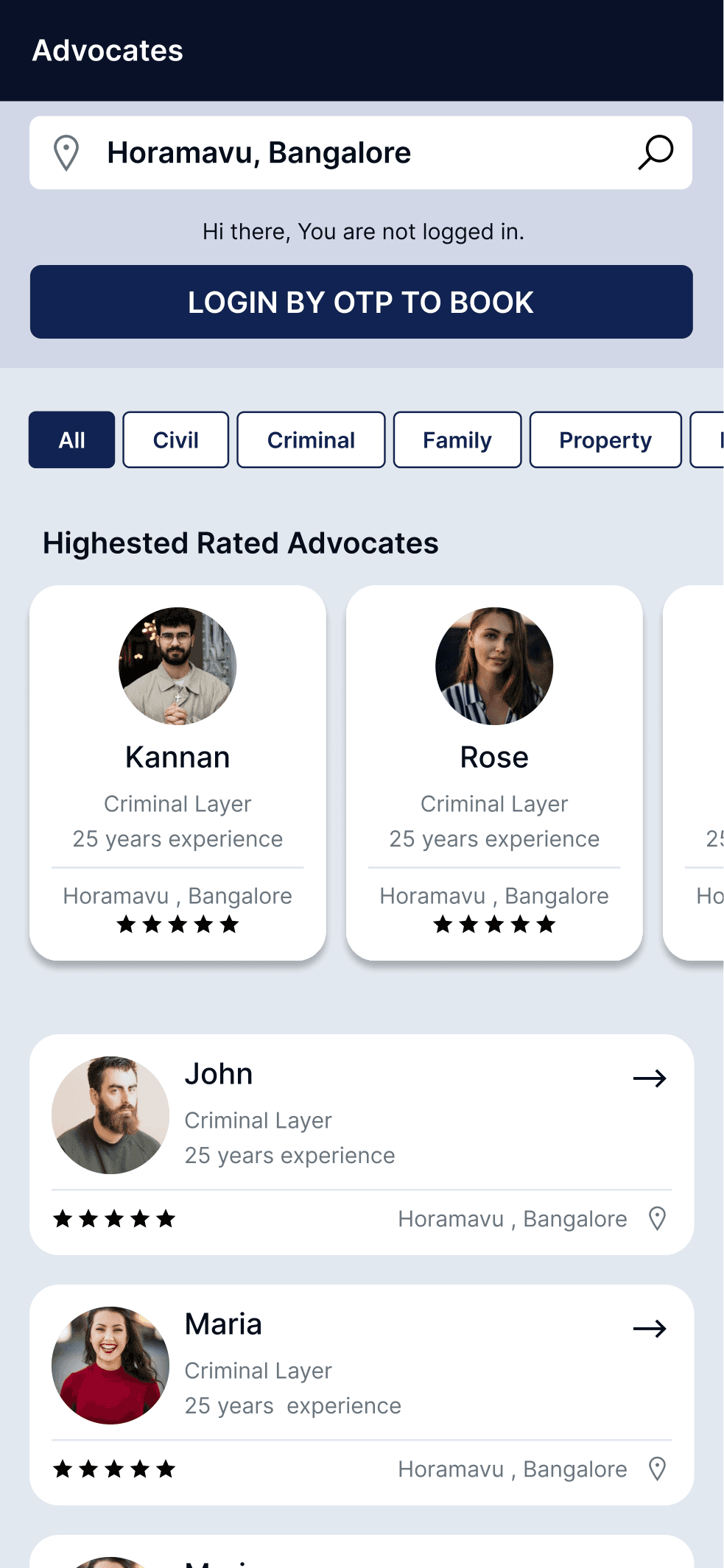
A two-sided consultation platform connecting clients seeking legal advice with available advocates through integrated booking and case management workflows.
Role: UX/UI Design
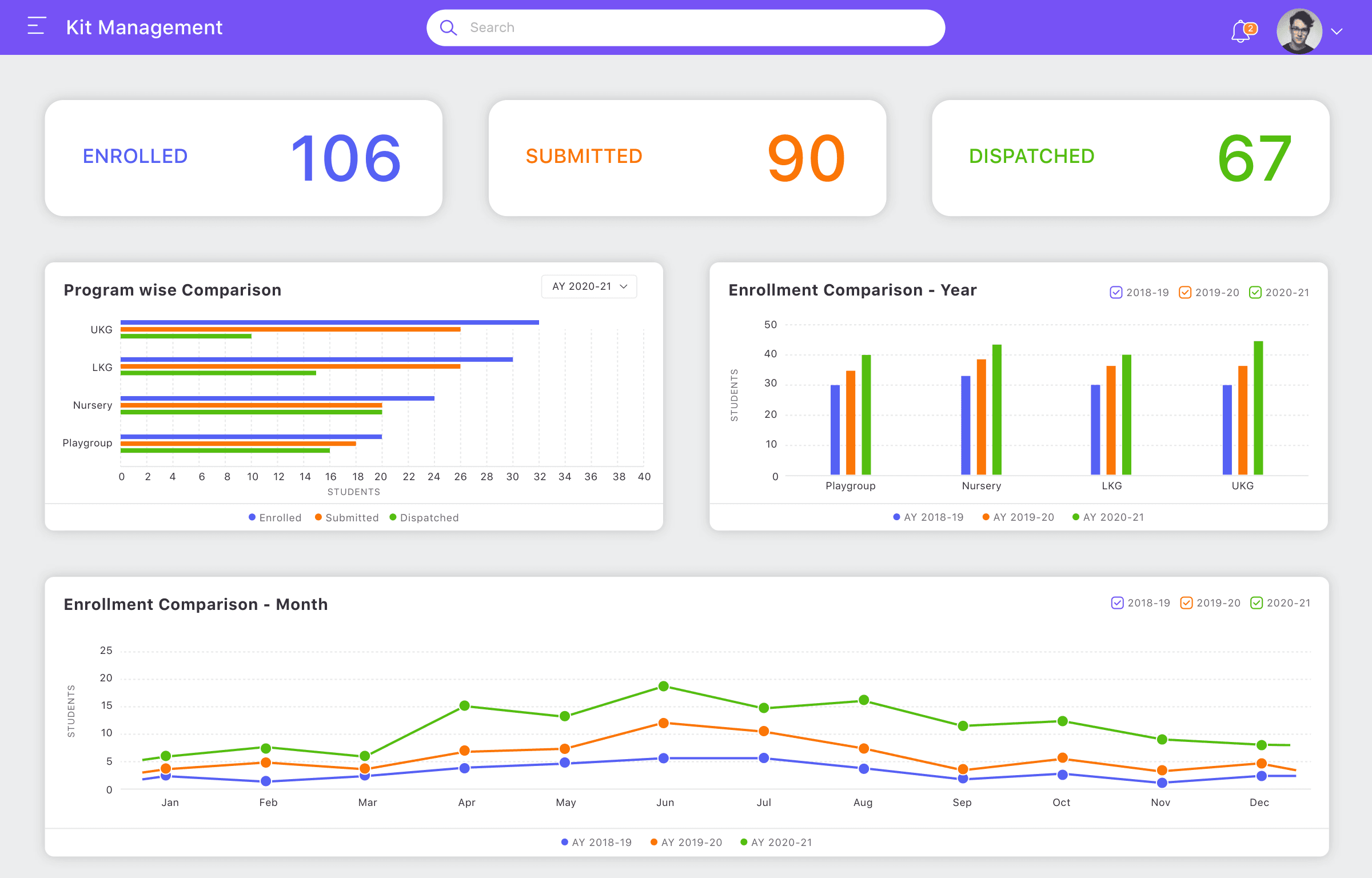
A structured management experience designed to simplify operational workflows and improve visibility across kit-related processes.
Role: UX/UI Design
Let's discuss your project, role or collaboration opportunity.